


The Best Free Antivirus Software of 2025: Providing Real Protection, Without requiring any financial investment
Best Free Antivirus Software for 2025 to Stay Safe Online
To tell you the truth, cyber risks are not the same as they were in the past. It is no longer the case that they are only bothersome pop-ups or viruses that you obtain from questionable download sites. The dangers that you face nowadays are highly complex, they are always changing, and they are meant to sneak past your defenses without you even being aware of it. At this point, having a reliable antivirus program installed on your computer is no longer a choice; rather, it is an absolute need.
Now, here’s the good news: maintaining your security does not require you to pay a significant amount of money for a premium subscription. Some of the most reputable names in the field of cybersecurity provide free versions of antivirus software that provide protection that is surprisingly robust, and they do it without charging a single cent.
There is a possibility that you will not have access to premium amenities such as unlimited virtual private networks (VPNs), identity theft monitoring, or deep system clean-up tools; but, for the majority of individuals, the free versions are more than sufficient to protect their devices from common dangers.
Consequently, if you are seeking for a way to safeguard your desktop or laptop computer in the year 2025 without breaking the bank, the following are the best free antivirus options that you should definitely take into consideration.
Why Should You Opt for a Free Antivirus?
Especially when it comes to matters of cybersecurity, it is simple to fall into the trap of assuming that “free” = “inferior.” However, you should not be fooled by the price tag (or the absence of one). It has come a long way since the introduction of free antivirus software, and in many instances, it provides more security than you would anticipate. Here are some of the reasons why a free antivirus program can possibly be the best option for you:
-
Who Doesn’t Love Free?
Because, of course, it’s free—no monthly fees or annual renewals. You get essential antivirus protection at zero cost, perfect for anyone on a budget. -
Speed Without the Bloat
Free antivirus programs are typically lightweight and fast, making them ideal for older or slower PCs that can’t handle bulky security suites. -
Covers All the Must-Haves
Need malware scanning, real-time protection, and safe browsing alerts? Free versions check all those boxes, keeping you protected where it matters most. -
Perfect for Everyday Users
If you’re not handling sensitive business files or visiting sketchy websites, a free antivirus offers all the coverage you need—without overcomplicating things.
Twenty-five of the Best Free Antivirus Software Available
Following intensive testing and comparison of the most recent versions of well-known antivirus software, the following are our top recommendations for the finest free antivirus applications available in this year. Every single one of them offers something very special to the table, whether it is ease of use, additional functionality, or protection that is absolutely unrivaled.
Avast One Essential
Innovative protection that is included in a generously priced free package : There is a good reason why Avast has been around for such a long time. Not only is their free antivirus software well-known, but it also has a lot of practical applications. Those who seek peace of mind without having to deal with continual pop-ups or complicated settings will find that Avast One Essential is packed with features that are designed to be useful for regular users.
You will receive:
- The Smart Malware Scanning feature can identify dangers such as viruses, spyware, and even software that has become obsolete.
- The Real-Time Protection feature monitors your files and applications in real time, looking for indications of suspicious behavior.
- Protection against phishing websites, malicious downloads, and suspicious email attachments is provided by Web & Email Shields.
- Wi-Fi Network Inspector is a tool that can determine whether or not someone is intruding on your personal network.
- The most fundamental form of ransomware protection prevents typical ransomware attacks from encrypting your files before they can do so.
- Smart Scan is a tool that may scan for a variety of issues, including outdated applications, potentially harmful browser extensions, and privacy concerns.
One of the catch is that some of the more impressive features, such as the complete VPN, powerful anti-tracking, and webcam shield, are only available to those who pay for the service. In spite of this, the free edition provides you with an extremely comprehensive set of features. The conclusion is that Avast One Essential is an excellent choice if you are looking for a trustworthy antivirus program that provides you with more than just the bare minimum. It is perfect for those individuals who are looking for something extra without spending any money.
The free version of Bitdefender Antivirus
Quiet, lightweight, and extremely efficient in its operation : One of the things that makes Bitdefender so wonderful is the fact that it keeps things straightforward. The user interface is uncluttered and uncluttered, with no buttons that are overbearing or settings that are difficult. It operates in the background in a quiet manner and only makes a sound when it is required to do so. If you are the type of person who just wants to “set it and forget it,” then this is the perfect option for you?
You will receive:
- Through real-time threat detection, malware, ransomware, and spyware are thwarted before they can even begin to spread.
- Anti-Phishing Tools are designed to prevent fraudulent websites from attempting to intercept your login details.
- System scans that are quick and thorough, driven by the cloud, and do not slow down your personal computer.
- Using a basic VPN, you can browse the web securely for up to 200 megabytes each day.
Unavailable Features: The free edition does not have a password manager, a system tuner, or the ability to configure the firewall. Also, in comparison to commercial options, the VPN has a rather limited feature set. The conclusion is that Bitdefender Free is an excellent choice for anyone who are looking for protection that is both robust and uncomplicated. It is especially useful for systems that are older or for users who do not wish to make a great deal of adjustments to their settings.

The Avira Free Security software offers a comprehensive range of features, including a few unexpected benefits: Avira’s free antivirus software does more than just detect and eliminate infections; it also includes a number of helpful extras that are not included in the majority of free software. One way to think of it is as a digital security toolset for users who are concerned about their privacy.
You will receive:
- The Real-Time Malware Scanning feature prevents viruses, trojan horses, and ransomware from causing damage before they can do so.
- Basic VPN Access is available for 500MB per month, making it ideal for occasional use on public Wi-Fi networks.
- You can generate and store secure passwords with the assistance of a password manager.
- A file shredder is a device that deletes sensitive files in an irreversible manner, rendering them unrecoverable.
- System Optimizer is a program that cleans garbage files and applications that start up while your computer is running.
Negative aspects include the fact that, similar to other items on this list, a premium subscription is required in order to access some of the more advanced features. In addition, the Safe Shopping browser extension may give some users the impression that it is a little bit obtrusive. In conclusion, if you are looking for a solution that offers more than simply antivirus protection, Avira Free Security is a good choice. Excellent for learners, people who work from home, and anyone else who is worried about their digital privacy.
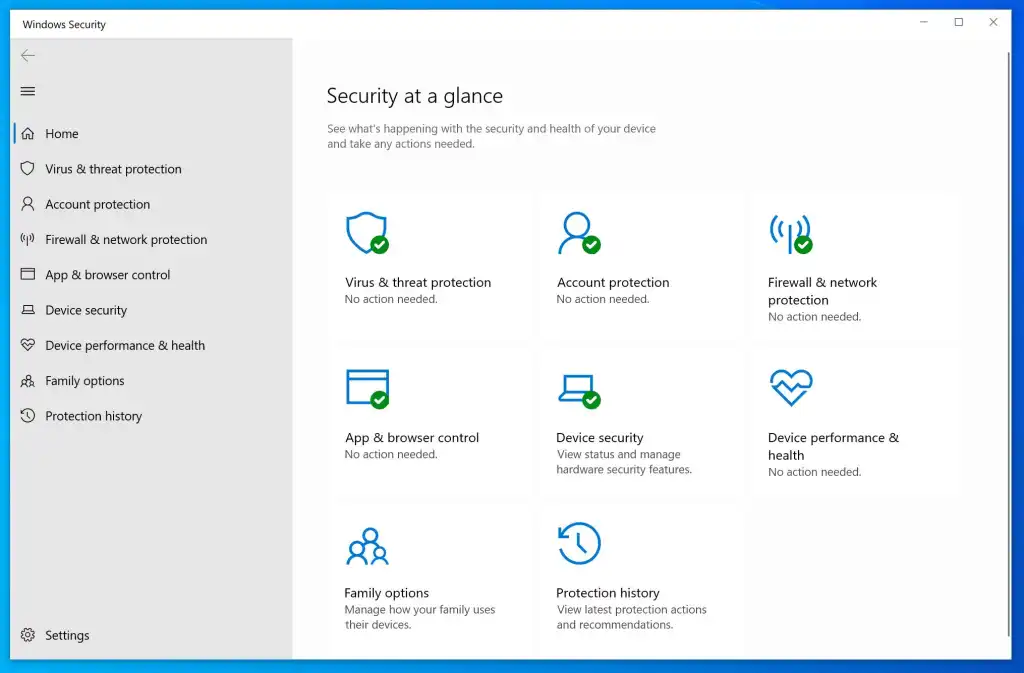
A fourth option is Windows Security, sometimes known as Microsoft Defender.
Built-in protection that is straightforward and takes care of the task at hand : As far as antivirus software is concerned, the days are long gone when Windows Defender was considered a laughingstock. Plus, it’s one of the most reliable built-in security tools available today—and it comes pre-installed on every PC running Windows 10 or Windows 11. No extra downloads, no setup hassle.
Here’s what you get with Windows Security:
- Real-time protection against viruses, spyware, and other threats
- Firewall and network monitoring to block unauthorized access
- Cloud-delivered updates to help defend against the latest threats
- Ransomware protection with “Controlled Folder Access” to keep your files safe
- No ads, no pop-ups, and no pressure to upgrade—it’s 100% free and fuss-free
However, it does have a few limitations. You won’t find features like a built-in VPN, a password manager, or more advanced threat detection tools that premium antivirus software might offer. When it comes to detecting brand-new malware, it is also not as aggressive as some of the solutions that are offered by third-party companies. When it comes to protecting your personal computer, Microsoft Defender is more than competent of doing so, provided that you do not download questionable files or venture into the more obscure parts of the internet. Those individuals who are looking for protection that is hassle-free and comes out of the box are a particularly fantastic choice.
Which Features Are Not Included in Free Antivirus Software
Although free antivirus software is fantastic, it is essential to be aware of the areas in which it is lacking. You will typically be missing out on the following features if you continue to use the free version: There is a possibility that you will receive some protection, but it will not be the kind of security that is comprehensive enough to prevent zero-day threats or encrypted attacks.
- The vast majority of free choices for advanced email protection Do not perform a thorough perusal of your attachments or emails.
- Personalization of the Firewall: Unless you upgrade, you will be dependent on the Windows Firewall.
- Premium versions frequently make use of artificial intelligence in order to identify potentially malicious behavior before it escalates into an attack.
- Unlimited Access to a Virtual Private Network: Free plans typically include data caps, which makes them less suitable for streaming content or surfing frequently.
- Privacy Monitoring: These features, which include scanning of the dark web and alerts for identity theft, are typically only accessible in subscription plans to users.
Final Thoughts: Which Option Is the Best One for You to Choose?
You really can’t go wrong with any of these choices if you’re just looking for dependable protection that doesn’t need a lot of effort to keep your computer secure as you browse the web, buy online, or check your email.
- You want the finest protection possible in every way? Avast One Essential is the best option.
- Do you like something without a lot of noise? We recommend Bitdefender Free as a top option.
- Can you use a couple additional privacy tools? Give Avira Free Security a shot.
- You just want the fundamentals with no effort at all? There is no need to worry about Windows Security.
Be sure to keep in mind that free antivirus software is an excellent place to begin. If, on the other hand, you deal with sensitive data, run a business, or simply want extra peace of mind, upgrading to a premium plan in the future might be a good idea.
It is imperative that you be safe when you are out there, as the internet is not much more welcoming.
Note : This article cover these Topics Best truly free antivirus software for Windows 2025, does free antivirus actually protect in 2025, lightweight antivirus for older PCs with real-time protection, top free antivirus for casual users in 2025, free antivirus that blocks ransomware and phishing, Bitdefender vs Avast free antivirus comparison 2025, is Windows Defender enough or should you upgrade, free antivirus software without annoying ads, antivirus that includes VPN and privacy tools for free, Avira Free Security VPN and password manager features, how to secure your PC without paying for antivirus, top no-cost antivirus for students and remote workers, difference between free and premium antivirus features, free antivirus software with phishing protection 2025, best free antivirus for safe online shopping and browsing, best antivirus with no subscription needed in 2025, secure browsing tools included in free antivirus apps, is Microsoft Defender good enough for average users, free security tools that don’t slow down your PC, how to get ransomware protection without paying