


How to Know if Someone Has Hacked Into Your Google Account? | Has Your Google Account Been Hacked? Here’s How to Find Out?
This is how you can tell: In this day and age, it is just as necessary to lock your front door at night as it is to secure your online accounts. This is especially true if you reside in a densely populated location where cyber risks are more widespread. It is possible for hackers, cybercriminals, and even people who are close to you (like a lover, roommate, or coworker) to obtain illegal access to your Google account, which would expose your emails, personal documents, images, and financial information. It is absolutely necessary to perform routine reviews and management of the devices that are connected to your account in order to prevent identity theft, data breaches, and invasions of privacy.
-
Regularly review devices linked to your Google account to detect unauthorized access and protect personal data.
-
Monitoring account activity can help you identify suspicious behavior early, especially after data breaches or password leaks.
-
Unauthorized access can come from people close to you, like ex-roommates, coworkers, or partners — not just hackers.
-
Securing your Google account is critical if you use it for work, financial services, or storing sensitive documents.
Exactly why is it so important to monitor the activity on your Google account? Identify entry that is not authorized – It is important to determine whether your sensitive information is being viewed by a hacker or an ex-roommate. Personal and financial information should be kept secure. Control who can access Google Pay, Drive, Gmail, and cloud storage by preventing access. If your login credentials were taken in a data breach, you will be able to detect unusual behavior early on. This will allow you to stop cyber risks before they get more severe. Maintain the confidentiality of work- and business-related information – Keeping your Google account secure is of the utmost importance if you use it for work-related activities such as the exchange of sensitive documents, emails, or commercial transactions.


How to See Who’s Logged Into Your Google Account & Remove Unauthorized Devices | Secure Your Google Account with These Steps to Check, Sign Out, and Add 2FA Protection Where Can I Find a List of Devices That Are Logged Into My Google Account? If you want to keep track of who is using your account and get rid of devices that are questionable, follow these steps:
- Go to the page where you may check your Google security
- Access the security checkup by going to myaccount.google.com.
If asked, please sign in: Please take a look at the “Your Devices” section: A list of all of the computers, tablets, and smartphones that are currently logged into your Google account will be displayed. It is important to check for logins from unusual places or devices that are not recognized.
Remove Access That Is Not Authorized: “Sign out” can be used to cancel access by clicking on any device that appears to be suspicious.
In the event that unauthorized activity is discovered, you should immediately change your Google password. Activate Two-Factor Authentication, often known as 2FA: Every time someone attempts to log in from a new device, you should activate 2-Step Verification so that they are required to enter a one-time passcode. To further safeguard yourself, you might make use of a security key or an authentication app.It is possible to use either a personal computer or your mobile phone to view the devices that are currently logged into your Google account. In the case that you discover any unauthorized users, you should remove them and then change your password in order to prevent any more unwanted logins.
Is It Necessary for Users to Protect Their Google Account?
Those Who Travel Frequently? When accessing your account from a public Wi-Fi network or a shared computer, you should avoid any potential login risks.
Owners of businesses and entrepreneurs should take precautions to safeguard crucial business communications, contracts, and payment information.
People who work in technology and gamers – Take precautions to prevent unwanted access to your gaming accounts, cloud backups, and transactions made through Google Play. Work from home employees and students – Make sure that your documents from school or work are protected from inquisitive eyes.
Start a page for a Google service (such as search, Gmail, or another one). To access your profile, click the symbol located in the upper right corner of the browser window.
Decide to take control of your Google Account.
- The Security option can be found on the left side of the page.
- Move down till you reach Your gadgets.
- Make sure you select Manage all devices.
- Take a look at the list of devices that are currently logged into your websites. You should click on any that you are unfamiliar with, and then select the Sign out button that is located in the uppermost portion of this information screen.
- Start a page for a Google service (such as search, Gmail, or another one).
- To access your profile, click the symbol located in the upper right corner of the browser window.
- Decide to take control of your Google Account.
- The Security option can be found on the left side of the page.
- Move down till you reach Your gadgets.
- Make sure you select Manage all devices.
Take a look at the list of devices that are currently logged into your websites. You should click on any that you are unfamiliar with, and then select the Sign out button that is located in the uppermost portion of this information screen.
A significant number of individuals prioritize the protection of their passwords and the prevention of unauthorized device logins when it comes to the security of their online accounts. The third-party applications and services that are linked to your Google account pose a threat that is frequently neglected, despite the fact that this is of the utmost importance. You may have allowed access to a variety of applications, websites, or tools that are now defunct, obsolete, or no longer in use. This may have occurred over the course of time. Your data is at risk because hackers may use these accounts as easy targets, which puts your information at risk.
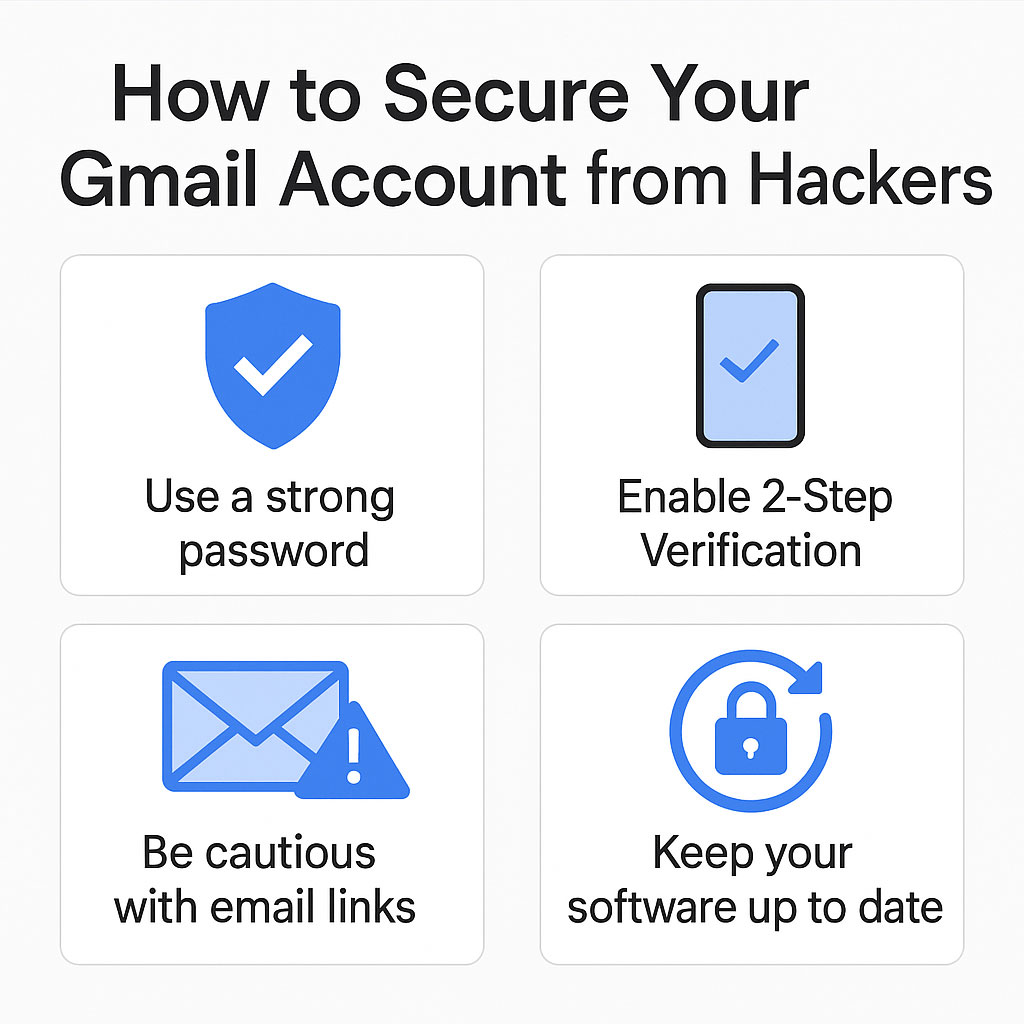

In this post, we will demonstrate how to manage and safeguard your linked applications in order to guarantee that the security of your Google account is tight and that you are not leaving any opportunities for hackers to take advantage of this vulnerability.
The Reasons Why You Should Get Rid of Linked Applications and Services
- Lessen the likelihood of illegal entry – Apps that are no longer in use or services that have become obsolete could have been compromised, providing hackers with a potential entry point into your account.
- Restrict the rights granted to third-party applications – Despite the fact that you are no longer using some applications, such as Google Drive, Google Photos, or
- Gmail, such applications continue to keep access to sensitive data.
- Prevent the takeover of your account – If a business that has been closed down or an account that has been abandoned is hacked, a cybercriminal could reactivate it in order to acquire access to the third-party services that are related to it.
- Increase the level of security for sensitive data – Be sure to protect any personal or commercial information that may be saved across cloud services such as Google
- Workspace, Google Docs, and Google Sheets from the possibility of being exposed.
How to Evaluate and Remove Third-Party Applications That Are Linked :
In order to audit and secure your Google account, you should remove any apps and services that are not required by following these steps:
- Navigate to the Settings page for your Google Account.
- Make sure you sign in by going to myaccount.google.com.
- To access the Security section, navigate to it.
- Examine Applications Provided by Third Parties:
- In the section labeled “Third-party apps with account access,” you will find a summary of all the applications and services that have been authorized to access your account.
- Be on the lookout for any apps that are unfamiliar or out of date; these could be susceptible to misuse.
Get rid of any apps that aren’t necessary or shady: Click on each application that you are no longer using, and then select the “Remove Access” option.
Ensure that you verify any applications that are associated with businesses or services that have been abandoned, as these can be vulnerable to being exploited.
- Unwanted services should have their permissions revoked.
- Disable any application that is no longer suitable for your requirements by going to the “Apps with access to your account” section and selecting the app.
- Existing Marketing tools, subscription services, and mobile applications that were formerly utilized for commercial reasons are included in this category.
Who ought to take the initiative?
Owners of small businesses and entrepreneurs should take precautions to prevent unauthorized third parties from accessing their customers’ information, transaction records, and business accounts.
Regular users of the application — It is essential to maintain a high level of security if you connect a number of different services to your Google account. Some examples of these services are productivity tools, cloud storage, and financial applications.
Students as well as Teachers – In order to protect your Google Classroom and Google Drive accounts from being misused, you should revoke access to any educational applications that are not being used effectively. Tech Enthusiasts and Professionals Working in Information Technology – You should perform regular audits of linked third-party applications in order to safeguard sensitive technological tools and services, particularly those that are associated with cloud computing or development platforms.
A Few Closing Thoughts: If you want the highest level of protection, lock off your Google account!
You may dramatically reduce the danger of data breaches, account hijacking, and unauthorized access by constantly assessing and cleaning the apps and services that you have linked to your account. When it comes to protecting your online security in today’s interconnected world, it is necessary to manage the permissions associated with your Google account. This is true whether you are a student, a tech professional, or the owner of a business.
Let’s explain it in a concise manner. If you have a Google account, are you at risk? What You Need to Do to Safeguard It” Within the context of the modern digital world, the security of your Google account is comparable to the importance of locking your front door. The vital information that is saved in your account, which includes Gmail and Google Drive, would be targeted by hackers who would like to gain access to it. Regardless of whether you are a student, a professional, or the owner of a business, mastering the skills necessary to monitor the activity on your Google account and to take preventative measures against potential threats will enable you to stay one step ahead of hackers.
Discovering Google Logins Without Permission: What Are the Steps!
The presence of unusual behavior is one of the first signs that your Google account may have been compromised by an unauthorized user. What are some ways that you can determine whether or not a Google login is authorized? Examining Google’s security measures in detail For a comprehensive review of your devices, login history, and account permissions, visit myaccount.google.com/security-checkup. You should be on the lookout for signs that your Google account has been compromised, such as weird emails, notifications to reset your password, or attempts to log in from unusual locations. Warning about logging in to your Google account: Make sure that notifications for illegal sign-ins are turned on in the settings of your account.
You should remove any devices that raise questions from your Google account.
Have you come across a piece of technology that you didn’t recognize? Let’s not get too worked up about it; here is how you can remove dubious devices from your Google account:
- Make your way to the section of your Google account that is dedicated to device management.
- Navigate to the Security tab and pick the option to “Manage Google account devices.”
- Click the “Sign out” button once you have selected the appropriate device.
- By using the same procedure, you are able to log out of Google devices that you are no longer using.
- Increase the Safety of Your Login and Password
- When it comes to preventing hackers from accessing Google, it is very necessary to enable two-factor authentication in the settings of Google:
- You can set up Google’s two-step verification process by using an authentication app or by providing a mobile number.
- Utilizing a physical security key will provide a higher level of protection.
- This protects your identity from being stolen through the use of Google accounts, particularly in the event that your password is stolen.
Professionals and companies can benefit from the security of their Google accounts.
- The security of your Google account for business is absolutely necessary if you are in charge of managing sensitive data or running a business: Confirm that you have the permissions to share files in Google Drive in order to safeguard customer information and financial documents.
- In order to protect the data stored in Google Drive, restrict access to it.
- Establishing powerful security controls can be accomplished by utilizing Google’s top security settings.
- As part of the professional Google account recommendations for tech workers, regular password changes, app audits, and compliance with two-factor authentication across all devices are included.
The Management of Applications and Services That Are Connected
- A backdoor could be provided to hackers by applications that are either dormant or obsolete.
- Review the apps that are associated with your Google account on a frequent basis in order to eliminate any potential threats.
- Go to the section labeled “Apps with access to your account” to learn how to prevent access from third-party applications, which is provided by Google.
- To disable access to Google applications, select the applications that you do not wish to use.
- Because of this, it is possible that your data could still be available through obsolete applications, which helps prevent Google account hijacking.
- Be sure to protect your privacy when using public networks.
Have you ever traveled a lot or worked from a remote location? When utilizing a public Wi-Fi account, you should be aware of the risks that are involved with it. You should never access your account on a network that is not protected, and you should always utilize a virtual private network (VPN). Another method for protecting the privacy of your Google account is to delete browser sessions and app permissions on a regular basis. This is especially important after using computers that are shared with other people.
The Protection of Google Accounts for Students: Google Drive, Gmail, and Classroom are all applications that kids use quite frequently. The usage of secure, one-of-a-kind passwords is required in order to guarantee the safety of Google accounts belonging to students.
- This feature allows for two-step verification. by limiting the rights that third-party applications can have.
- Review the permissions that are associated with your Google account.
- The permissions on your Google account should be reviewed every few months, and you should make sure that:
- Who is able to access the files that you control?
- Which applications have been granted authorization to use your account.
- Has anyone logged in from a device that cannot be identified?
In addition to providing you with full control over your digital life, this technique also helps you avoid having data from your Google account leaked.
Take preventative measures and make sure you are safe : Users of Google should begin by becoming aware of cybersecurity threats and then take steps to address them. Taking precautionary precautions ensures that your Google account remains secure, regardless of whether you are managing third-party applications, changing passwords, or examining your login history. Consider the fact that neither the internet nor the dangers posed by cyberspace ever go to sleep. You should start putting these safeguards into effect as soon as possible in order to secure your online environment before it is too late.
Note : This article cover these topics !
How to know if your Google account is hacked, Google account unauthorized access detection, Remove unknown devices from Google account, Secure Gmail from hackers, Check who logged into your Google account, Two-factor authentication Google setup, Google security checkup guide, Best way to protect Google account, Google account suspicious activity alert, How to sign out devices from Google remotely, Protect Gmail from cyber attacks, Google account privacy settings 2025, Google account hacked what to do, Manage third-party app access Google, Is someone spying on my Google account, Stop unauthorized logins Google account, Google account login activity check, How to detect unusual login attempts Google, Improve Google account security, Steps to secure personal Gmail account. How to tell if your Google account is hacked, Check login activity on Google account, Remove unknown devices from Google account, Google account unauthorized access warning, Secure Gmail from hackers, Two-factor authentication for Google, Google security checkup steps, Google account suspicious activity alert, Stop unauthorized logins on Gmail, Remove third-party apps from Google account, Audit Google account permissions, How to sign out of Google remotely, Prevent Gmail account hacking, Protect Google Drive from unauthorized access, Change Google password after hack, Manage Google account devices list, Google account privacy settings 2025, Detect unusual login attempts on Gmail, Best way to protect your Google account, Google account hacked what to do next.
Lear more About Windows 11