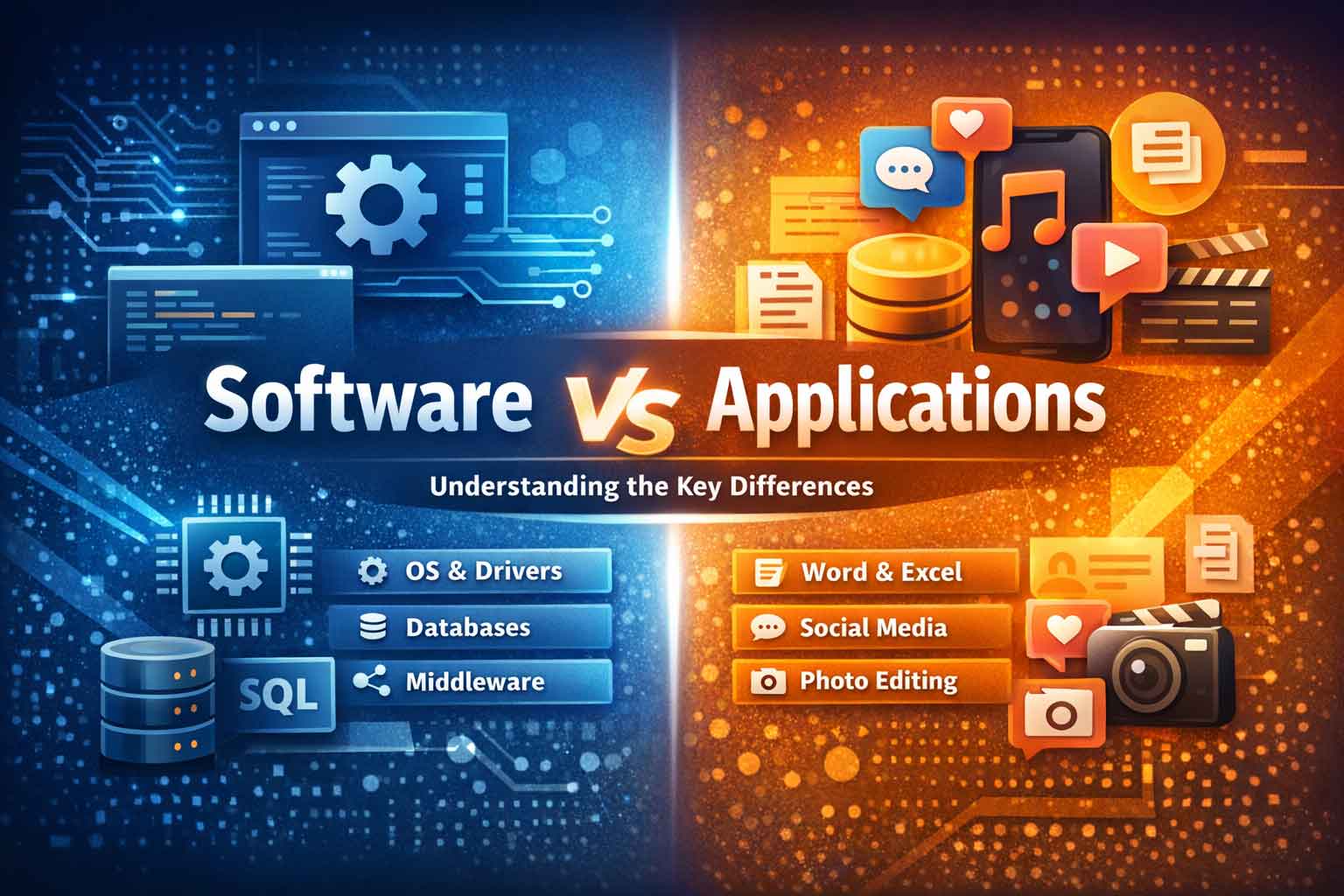
Software vs Application: Everything You Need to Know in 2026
Have you ever wondered why your smartphone “apps” are called applications while your computer runs “software”? Or why tech professionals make such a big deal about distinguishing between these terms? You’re not alone. In 2026, as our digital ecosystem becomes increasingly complex, understanding the difference between software and applications isn’t just technical jargon—it’s essential knowledge for anyone navigating the modern tech landscape.
Let’s dive deep into this fascinating distinction and discover why it matters more than you think.
The Big Picture: What Makes Software and Applications Different?
Imagine your computer as a sophisticated theater production. Software represents everything that makes the show possible—the stage infrastructure, lighting systems, sound equipment, backstage crew, and even the scripts. Applications are like the individual performances you actually come to watch—the plays, musicals, and shows designed specifically for audience entertainment and engagement.
This analogy captures the essential truth: all applications are software, but not all software qualifies as an application. It’s a relationship where applications exist as a specialized subset within the broader software universe.
The Quick Answer (For Those in a Hurry)
Software is the comprehensive ecosystem of programs, instructions, and data that enables computers to function—ranging from operating systems managing hardware to development tools creating other programs. It’s the complete digital infrastructure making modern computing possible.
Applications are user-focused software programs designed specifically to help people accomplish particular tasks—like writing documents, editing photos, browsing websites, or managing finances. They’re the tools you directly interact with to get things done.
The critical distinction? Software can operate entirely behind the scenes without human interaction, while applications always require user engagement and exist specifically to serve user needs.
Understanding Software: The Foundation of Digital Computing
What Exactly Is Software?
At its core, software is a collection of encoded instructions and data that tells computer hardware what to do and how to do it. Think of it as the “intelligence” behind your computer’s “body” (the physical hardware). Without software, your powerful computer would be nothing more than an expensive paperweight—all potential with no ability to actualize that potential.
Software operates on multiple levels simultaneously. While you’re typing in a word processor (application-level software), your operating system (system-level software) is managing memory allocation, processing power distribution, and hardware communication. Meanwhile, driver software ensures your keyboard inputs translate correctly to screen outputs. It’s a beautifully orchestrated symphony of code working in harmony.
The Five Pillars: Types of Software Explained
Essential Software Characteristics in 2026
Modern software embodies several crucial features that define the 2026 digital experience:
Intelligent Automation: AI and machine learning integration automate repetitive tasks, predict user needs, and optimize performance without manual intervention. Software learns from usage patterns to become more helpful over time.
Cloud-Native Architecture: Contemporary software increasingly operates in cloud environments, offering access from anywhere, automatic scaling to meet demand, and seamless collaboration across geographical boundaries.
Security-First Design: With cyber threats evolving constantly, modern software incorporates zero-trust security models, end-to-end encryption, multi-factor authentication, biometric verification, and continuous security monitoring as fundamental features rather than afterthoughts.
Cross-Platform Compatibility: Today’s software works seamlessly across devices—your work continues effortlessly whether you’re on a desktop, laptop, tablet, or smartphone. The device becomes merely an access point rather than a limitation.
Adaptive Interfaces: Software in 2026 features interfaces that adapt to user preferences, accessibility needs, and usage contexts. Dark modes, customizable layouts, voice controls, and gesture navigation are standard expectations.
Diving Deep into Applications: Software’s User-Facing Face
What Makes Applications Special?
Applications represent software’s most intimate relationship with users. They’re the digital tools we consciously choose to use, open with intention, and interact with directly to accomplish specific goals. Unlike system software running invisibly in the background, applications demand and reward active user engagement.
The defining characteristic of applications is their task specificity. Each application exists to solve particular problems or enable specific activities. You don’t just “use an application”—you write a document, edit a photo, manage finances, communicate with team members, or entertain yourself. The application is the vehicle for accomplishing these defined objectives.
The Application Ecosystem in 2026
| Software Type | Purpose | Key Functions | 2026 Advancements | Examples |
|---|---|---|---|---|
| System Software | Forms the core foundation between hardware and software | • Hardware resource management • File systems & security • Boot & system configuration • Network connectivity |
AI-driven resource allocation, predictive performance optimization, adaptive security | Windows 11, macOS Sequoia, Linux |
| Application Software | Helps users perform specific tasks | • Productivity & creativity • Communication & collaboration • Entertainment & utilities |
Enhanced UX, cloud-based workflows, AI assistance for automation | Microsoft 365, Google Workspace, Adobe CC, Zoom, Spotify |
| Middleware | Acts as a bridge between different systems | • Data exchange • API communication • System integration |
AI-powered routing, protocol translation, intelligent load balancing | Apache Kafka, MuleSoft, Enterprise Service Bus |
| Programming Software | Used by developers to build applications | • Code writing & editing • Debugging & testing • Version control |
AI code completion, automated testing, AI pair programming | VS Code, IntelliJ IDEA, GitHub, PyCharm |
| Driver Software | Enables OS–hardware communication | • Device compatibility • Hardware control • Performance tuning |
Automatic optimization, predictive maintenance, cloud updates | GPU drivers, Printer drivers, Network adapters |
Desktop Applications: Power and Control
Traditional desktop applications remain relevant in 2026, particularly for resource-intensive tasks requiring significant processing power or specialized hardware access. These applications offer:
- Superior performance: Direct hardware access for demanding tasks like video editing, 3D rendering, and complex data analysis
- Advanced functionality: Comprehensive feature sets not limited by browser capabilities
- Offline reliability: Full functionality without internet connectivity
- Professional tools: Industry-standard applications for design, engineering, development, and content creation
Examples include Adobe Premiere Pro for video editing, AutoCAD for engineering design, and specialized music production software like Logic Pro or Ableton Live.
Web Applications: Accessibility and Collaboration
Web applications have revolutionized how we work and collaborate. Accessed entirely through web browsers, they offer:
- Universal accessibility: Use from any device with a browser and internet connection
- Zero installation: No downloads, installations, or device storage requirements
- Automatic updates: Always using the latest version without manual updates
- Real-time collaboration: Multiple users working simultaneously on the same project
- Cost efficiency: Often subscription-based with lower upfront costs
Popular examples include Google Workspace (Docs, Sheets, Slides), Figma for collaborative design, Asana for project management, and countless SaaS (Software as a Service) platforms.
Mobile Applications: Power in Your Pocket
Mobile applications have transformed smartphones and tablets into powerful productivity and entertainment devices. In 2026, mobile apps feature:
- Touch-optimized interfaces: Designed specifically for finger-based interaction
- Location awareness: GPS integration for context-aware functionality
- Device sensor access: Utilizing cameras, accelerometers, gyroscopes, and biometric sensors
- Push notifications: Real-time updates keeping users informed and engaged
- Offline functionality: Smart syncing allowing work without constant connectivity
The mobile app ecosystem spans social media (Instagram, TikTok), productivity (Notion, Todoist), health and fitness (MyFitnessPal, Strava), finance (banking apps, investment platforms), and entertainment (games, streaming services).
Progressive Web Apps (PWAs): The Best of Both Worlds
PWAs represent the evolution of web applications, combining web accessibility with app-like experiences:
- Installable: Add to home screen like native apps
- Offline functionality: Service workers enable offline or low-connectivity usage
- Push notifications: Engage users like native mobile apps
- Fast performance: Optimized loading and smooth interactions
- Automatic updates: Update themselves like websites
Major platforms including Twitter, Pinterest, Spotify, and Starbucks have embraced PWAs, offering users flexible access options.
Enterprise Applications: Business Process Powerhouses
Enterprise applications serve organizations rather than individual consumers, managing complex business operations:
- ERP Systems (Enterprise Resource Planning): SAP, Oracle NetSuite integrating finance, HR, supply chain, and operations
- CRM Platforms (Customer Relationship Management): Salesforce, HubSpot managing customer interactions and data
- Business Intelligence: Tableau, Power BI transforming data into actionable insights
- Collaboration Platforms: Microsoft Teams, Slack enabling organizational communication
- Project Management: Monday.com, Jira coordinating team workflows
These applications prioritize security, scalability, integration capabilities, and customization to match specific organizational needs.
Cloud-Native Applications: Born for the Modern Era
Cloud-native applications are built specifically for cloud environments, leveraging modern architectures:
- Microservices architecture: Composed of independent, scalable components
- Containerization: Packaged with Docker, orchestrated with Kubernetes
- Serverless computing: Automatic scaling without server management
- API-first design: Built for integration and interoperability
- Continuous deployment: Frequent updates with minimal disruption
Examples include Netflix’s streaming platform, Airbnb’s marketplace, and Uber’s ride-sharing ecosystem—all designed to scale massively and adapt rapidly to changing demands.
Key Application Features That Matter in 2026
- Intuitive User Experience (UX): Modern applications prioritize effortless navigation, clear visual hierarchies, consistent design languages, contextual help, and minimal learning curves. Users expect to accomplish tasks without reading manuals or watching tutorials.
- Responsive Design: Applications automatically adapt to different screen sizes, orientations, and input methods. Whether you’re on a 32-inch monitor or 6-inch smartphone, the experience remains optimized and functional.
- Personalization and Customization: Today’s applications learn user preferences, remember settings across devices, offer customizable interfaces and workflows, provide content recommendations based on usage, and adapt to individual accessibility needs.
- Real-Time Synchronization: Start work on one device, continue on another seamlessly. Modern applications sync data instantly across platforms, maintain consistency across devices, enable multi-device workflows, and preserve work automatically.
- Advanced Security: Applications in 2026 feature end-to-end encryption, biometric authentication, regular security updates, privacy-conscious data handling, and transparent privacy policies with user control.
- Integration Capabilities: No application exists in isolation. Modern apps connect with other applications and services, support API access for extensibility, enable workflow automation through tools like Zapier or Make, and participate in broader digital ecosystems.
The Critical Differences: Software vs Application Deep Dive
| Aspect | Software | Applications |
|---|---|---|
| Purpose & Scope | Provides complete technological infrastructure, including operating systems, middleware, and development tools. Covers both visible and invisible system components. | Designed to accomplish specific user tasks such as document creation, communication, editing, entertainment, or financial management. |
| User Interaction | Operates mostly in the background with minimal or no direct user interaction, handling processes like memory management and system services. | Requires active user engagement through interfaces, inputs, and outputs to complete intended tasks. |
| Functionality Range | Broad and versatile, managing multiple complex operations simultaneously and providing capabilities rather than direct solutions. | Focused and goal-oriented, delivering specific solutions to defined problems with ease of use. |
| Dependency & Hierarchy | Acts as the foundational layer that other programs depend on, including operating systems, runtimes, and databases. | Built on top of system software and relies on it to function properly within the software ecosystem. |
| Executability | May or may not be directly executable; includes libraries, frameworks, and background services that run automatically. | Always executable and launched intentionally by users to perform tasks. |
| Development Focus | Prioritizes performance, scalability, security, and system efficiency over user experience. | Strongly user-centric, focusing on usability, interface design, and overall user satisfaction. |
| Business Impact | Improves infrastructure reliability, performance, and long-term scalability. | Directly enhances productivity, customer experience, and operational efficiency. |
Business lesson: When evaluating technology investments, consider whether you need technical infrastructure improvements (software) or enhanced user-facing capabilities (applications). The distinction drives different selection criteria.
When to Choose Software vs Application Development
Invest in Custom Software Development When:
- Building Core Infrastructure: Your organization needs foundational systems managing critical processes—financial operations, human resources, supply chain logistics, data warehousing, security architecture. These require custom software tailored to your specific operational requirements.
- Requiring Deep Integration: Your systems must communicate seamlessly with diverse databases, legacy systems, third-party services, and proprietary platforms. Custom middleware and integration software enable this connectivity.
- Needing Specialized Functionality: Off-the-shelf solutions don’t address your unique requirements. Your industry regulations, business processes, or competitive differentiation demand software built specifically for your situation.
- Scaling Enterprise Operations: You’re managing complexity across departments, locations, data systems, and user bases that generic software can’t handle efficiently. Custom enterprise software optimizes your specific workflows.
- Creating Platforms: You’re building ecosystems where other applications will operate—marketplaces, development platforms, data analysis environments, or industry-specific infrastructure.
- Real-world example: A multinational logistics company might develop custom software integrating shipping partners, warehouse systems, inventory databases, and customer platforms—creating unified visibility and control across their complex operation.
Invest in Application Development When:
- Engaging Customers Directly: You want to reach customers through mobile devices, web browsers, or desktop platforms with branded experiences that strengthen customer relationships and drive loyalty.
- Delivering Specific Services: Your offering requires focused functionality—appointment booking, product customization, service requests, account management, or specialized tools that serve defined user needs.
- Enabling Mobile-First Experiences: Your customers or employees need on-the-go access through smartphones and tablets. Mobile applications provide optimized experiences for small screens and touch interaction.
- Providing Self-Service Options: Applications empower users to accomplish tasks independently—checking account status, tracking orders, accessing resources, submitting requests—reducing support costs while improving satisfaction.
- Building Brand Presence: Applications serve as touchpoints strengthening brand awareness, demonstrating innovation, providing ongoing value, and maintaining presence in users’ digital lives.
- Real-world example: A restaurant chain develops a mobile application enabling customers to browse menus, customize orders, schedule pickup, earn loyalty rewards, and provide feedback—all through an intuitive, branded interface.
The Advantages: Why Software and Applications Matter
Software Benefits: The Infrastructure Edge
- Operational Efficiency: Well-designed software automates complex processes, eliminates manual data entry, optimizes resource allocation, streamlines workflows, and reduces operational costs significantly.
- Scalability: Quality software grows with your organization. It handles increasing data volumes, supports more users, accommodates new functionality, and adapts to changing requirements without complete replacement.
- Integration Capabilities: Software enables diverse systems to work together, breaks down data silos, creates unified information views, and facilitates seamless operations across organizational boundaries.
- Customization: Custom software matches your exact requirements, supports unique business processes, adapts to your workflows rather than forcing workflow changes, and provides competitive advantages competitors can’t easily replicate.
- Long-term Value: While initial software investment may be significant, the long-term benefits—efficiency gains, reduced manual labor, improved accuracy, and operational insights—typically deliver substantial ROI.
Application Benefits: The User Experience Advantage
- Immediate Productivity: Applications help users accomplish tasks quickly. Intuitive interfaces minimize training, focused functionality reduces complexity, and task-oriented design accelerates completion.
- Accessibility: Modern applications work across devices, enable remote access, support flexible work arrangements, and ensure information availability when and where users need it.
- User Satisfaction: Well-designed applications create positive experiences, build brand loyalty, differentiate your offerings, and generate competitive advantages through superior user experiences.
- Rapid Deployment: Applications can be developed, deployed, and updated quickly—especially web and mobile applications. This agility enables fast response to market opportunities or changing requirements.
- Measurable Impact: Applications generate clear usage metrics, track user engagement, measure completion rates, and demonstrate concrete value through analytics and user feedback.
- Customer Connection: Customer-facing applications create direct communication channels, enable personalized experiences, facilitate feedback collection, and strengthen ongoing relationships.
The Challenges: Understanding the Tradeoffs
Software Challenges
- Complexity: Software systems can be complex to design, implement, configure, and maintain. They often require specialized expertise and ongoing technical management.
- Cost: Custom software development involves significant upfront investment in development resources, project management, testing, and deployment. Ongoing maintenance and updates add continuing costs.
- Time Investment: Building robust software systems takes time—months or years for complex projects. Organizations must balance time-to-value against customization benefits.
- Technical Debt: Software accumulates technical debt over time as technologies evolve, dependencies change, and shortcuts accumulate. Regular refactoring and modernization require ongoing investment.
- Security Responsibility: Software owners bear responsibility for security vulnerabilities, data protection, compliance requirements, and responding to emerging threats.
Application Challenges
- Platform Dependencies: Applications depend on underlying platforms (operating systems, browsers, mobile platforms) that evolve independently, potentially breaking compatibility or requiring updates.
- Resource Consumption: Applications can consume significant device resources—processing power, memory, storage, battery life—potentially impacting device performance.
- Update Management: Keeping applications current across user bases requires coordination. Users delay updates, creating version fragmentation and potential security vulnerabilities.
- Privacy Concerns: Applications often request access to personal data, device features, and usage information, creating privacy considerations users increasingly scrutinize.
- Market Saturation: In competitive categories, applications face intense competition. Standing out requires exceptional quality, unique features, or superior user experiences.
- Connectivity Dependency: Many applications require internet connectivity, limiting functionality when connections are unavailable or unreliable. Offline capabilities require additional development complexity.
Making the Right Choice: A Strategic Framework
Ask These Critical Questions:
| Decision Factor | When to Choose Software | When to Choose Applications |
|---|---|---|
| Primary Users | IT administrators, system managers, developers, or infrastructure teams managing backend operations. | End customers, business users, or employees performing daily operational tasks. |
| Problem Being Solved | Infrastructure management, system integration, scalability, security, and foundational capabilities. | Specific user tasks, customer engagement, productivity improvements, and user experience enhancement. |
| Timeline & Deployment Speed | Suitable for long-term investment, phased development, and strategic infrastructure planning. | Ideal for rapid deployment, quick wins, and immediate business value (especially SaaS tools). |
| Budget Considerations | Higher upfront investment with long-term ROI, customization, and ownership benefits. | Predictable subscription costs, lower upfront expense, and faster cost control. |
| Requirement Uniqueness | Best for unique workflows, competitive differentiation, or proprietary business processes. | Ideal for standard industry workflows and commonly accepted business processes. |
| Integration Needs | Required when deep integration with multiple systems, databases, or services is critical. | Works best for standalone functionality or integration within existing ecosystems via APIs. |
| Best Strategic Approach | Custom software combined with middleware for scalability and long-term growth. | SaaS or custom-built applications layered on reliable software infrastructure. |
Real-World Scenarios: Software vs Application in Action
Scenario 1: Healthcare Practice Management
Software Component: A comprehensive practice management system integrating electronic health records (EHR), billing systems, insurance verification, scheduling databases, and reporting analytics. This software forms the foundational infrastructure managing complex healthcare data and workflows.
Application Component: A patient portal application (mobile and web) where patients schedule appointments, view test results, communicate with providers, access medical records, and manage payments. The application provides user-friendly access to the underlying software system.
Why Both?: The software handles complex regulatory compliance, data security, and operational integration. The application delivers patient-facing functionality with optimized user experiences. Together, they create a complete solution.
Scenario 2: E-Commerce Platform
Software Component: Backend e-commerce software managing inventory databases, order processing, payment gateway integration, shipping partner APIs, customer data management, and analytics engines. This software orchestrates the complex operations making online retail possible.
Application Components:
- Customer-facing mobile and web applications for browsing, purchasing, and tracking orders
- Merchant dashboard application for managing products, viewing analytics, and processing orders
- Warehouse application for inventory management and order fulfillment
Why This Architecture?: The software provides robust, scalable infrastructure. Multiple applications deliver optimized experiences for different user types and contexts—customers shopping on mobile, merchants managing operations on desktop, warehouse staff fulfilling orders on tablets.
Scenario 3: Financial Services
Software Component: Core banking software managing account systems, transaction processing, fraud detection, regulatory reporting, and data warehousing. This mission-critical software handles billions of transactions securely and reliably.
Application Components:
- Mobile banking application for everyday banking tasks
- Web application for detailed account management
- Investment platform application for trading and portfolio management
- Employee applications for customer service and operations
Why This Separation?: The software maintains absolute reliability, security, and regulatory compliance for core banking operations. Applications provide customer-facing and employee-facing functionality that can be updated frequently to improve experiences without touching mission-critical software.
The Future: Where Software and Applications Are Heading
Artificial Intelligence Integration
By 2026, AI has become deeply embedded in both software and applications. Software systems feature AI-powered optimization, predictive maintenance, intelligent resource allocation, and automated security threat detection. Applications incorporate natural language interfaces, personalized recommendations, intelligent automation, and contextual assistance.
This trend will accelerate. Expect software to become increasingly self-managing and applications to become more anticipatory of user needs.
Edge Computing and Distributed Architectures
The shift from centralized cloud computing to edge computing affects both software and applications. Software increasingly distributes processing across edge locations for reduced latency and improved reliability. Applications leverage edge computing for real-time responsiveness, offline functionality, and enhanced privacy.
Low-Code/No-Code Platforms
The rise of low-code and no-code platforms blurs traditional software development boundaries. Business users create custom applications without traditional programming. These platforms provide software infrastructure while democratizing application development.
Quantum Computing Readiness
As quantum computing moves toward practical applications, both system software and applications will evolve to leverage quantum capabilities for specific use cases—cryptography, optimization problems, molecular simulation, and machine learning.
Sustainability Focus
Environmental considerations increasingly influence software and application development. Energy-efficient code, optimized resource usage, carbon-aware computing, and sustainable design principles are becoming standard considerations rather than afterthoughts.
Your Action Plan: Making Informed Decisions
For Business Leaders
| Step | Action | Why It Matters | Outcome |
|---|---|---|---|
| 1. Audit Current State | Identify existing software infrastructure and applications, including costs, usage patterns, and gaps. | Prevents redundancy, uncovers inefficiencies, and reveals underutilized assets. | Clear visibility into your current technology landscape. |
| 2. Define Strategic Objectives | Align technology investments with business goals such as efficiency, scalability, or customer experience. | Ensures technology decisions support measurable business outcomes. | Focused investments with clear ROI expectations. |
| 3. Assess Build vs Buy | Evaluate custom development, commercial software, SaaS applications, or hybrid solutions for each need. | Balances flexibility, cost, speed, and long-term ownership. | Optimized solution mix tailored to constraints and goals. |
| 4. Plan for Integration | Ensure new software and applications integrate seamlessly with existing systems and data flows. | Integration challenges often exceed initial development or licensing costs. | Reduced operational friction and future scalability. |
| 5. Invest in Training | Allocate budget for training, change management, documentation, and ongoing user support. | Technology delivers value only when used effectively by people. | Higher adoption rates, productivity gains, and long-term success. |
For Technical Teams
| Best Practice | What to Do | Why It Matters | Business Impact |
|---|---|---|---|
| Understand User Needs | Conduct user research, interviews, and detailed requirements gathering before development begins. | Ensures solutions solve real problems and align with actual usage patterns. | Higher adoption, reduced rework, and improved user satisfaction. |
| Choose Appropriate Architectures | Select architectural patterns such as monoliths, microservices, serverless, or hybrid models based on requirements. | Prevents overengineering and supports scalability, performance, and maintainability. | Lower technical debt and smoother future growth. |
| Prioritize Security | Embed security practices from the start, including access control, encryption, and threat modeling. | Retrofitting security later is costly and often ineffective. | Reduced risk, stronger trust, and regulatory compliance. |
| Plan for Maintenance | Allocate resources for updates, bug fixes, performance tuning, and feature enhancements. | Software and applications evolve continuously after launch. | Long-term stability, reliability, and sustained value. |
| Embrace Modern Practices | Adopt DevOps, CI/CD pipelines, automated testing, and infrastructure as code. | Improves deployment speed, consistency, and quality. | Faster time-to-market and higher development velocity. |
For Individuals
| Guideline | What It Means | Why It’s Important | Practical Benefit |
|---|---|---|---|
| Understand Your Tools | Know whether you are using system software, middleware, or end-user applications and how they affect workflows. | Enables smarter decisions about privacy, performance, and tool selection. | Optimized workflows and reduced operational friction. |
| Evaluate Before Adopting | Assess new tools based on actual needs, pricing, privacy policies, and integration capabilities. | Prevents tool sprawl, hidden costs, and data risks. | Better ROI and cleaner, more manageable tech stacks. |
| Maintain Security Hygiene | Keep systems updated, use strong authentication, manage permissions, and monitor security alerts. | Most security incidents result from poor maintenance and outdated software. | Reduced risk of breaches, data loss, and downtime. |
| Provide Feedback | Report bugs, request features, and share usage experiences with developers or vendors. | User feedback directly influences product improvements and priorities. | Better tools tailored to real-world needs. |
Conclusion: Knowledge Empowers Better Decisions
Understanding the distinction between software and applications isn’t mere technical pedantry—it’s practical knowledge enabling better decisions about technology investments, tool selection, and digital strategy.
Remember the core principle: Software is the comprehensive infrastructure making computing possible, while applications are the user-focused tools built upon that infrastructure to accomplish specific tasks.
When evaluating technology needs, ask whether you need foundational infrastructure and integration capabilities (software) or user-facing functionality for specific tasks (applications). Often, the answer is both—robust software infrastructure supporting excellent application experiences.
As we progress through 2026 and beyond, this distinction remains relevant even as technologies evolve. AI, quantum computing, edge architectures, and emerging paradigms will continue differentiating between infrastructure-level software and user-facing applications.
Your technology decisions shape productivity, competitiveness, and user satisfaction. Understanding what you actually need—software, applications, or both—is the first step toward making choices that deliver real value.
The digital landscape will keep evolving, but armed with clear understanding of software versus applications, you’re equipped to navigate that evolution confidently and make decisions aligned with your actual needs rather than chasing buzzwords or following trends blindly.
- Google vs ChatGPT 2026: Which AI Tool Should You Use?
- ChatGPT Atlas Browser 2026 Review: Privacy Risks, AI Features & What You Must Know Before Downloading
- Best AI Image Generation Tools 2026: Adobe Firefly, MidJourney, Leonardo & More
FAQs Difference Between Software and Application
1. What are examples of software and applications?
Software Examples (Infrastructure/Background):
- Operating Systems: Windows 11, macOS, Linux
- Device Drivers: Graphics drivers, printer drivers
- Middleware: Apache Kafka, Oracle Middleware
- Database Systems: MySQL, PostgreSQL
- Compilers and Debuggers
Application Examples (User-Facing):
- Productivity: Microsoft Word, Google Docs, Excel
- Communication: WhatsApp, Zoom, Slack, Gmail
- Creative: Adobe Photoshop, Canva, Figma
- Entertainment: Spotify, Netflix, Instagram
- Business: Salesforce, QuickBooks, Asana
Key Difference: Software runs systems and provides infrastructure; applications help users complete specific tasks.
2. Is software also called an application?
No, but with nuance:
Not all software is an application, but all applications are software. Think of it as a subset relationship:
- Software = Umbrella term for ALL computer programs
- Applications = Specific type of software designed for end-user tasks
Software that ISN’T an application:
- Operating systems (Windows, Linux)
- Device drivers
- System utilities
- Middleware
- Programming libraries
When the terms overlap: In casual conversation, people sometimes use “software” and “application” interchangeably when referring to user-facing programs. Technically, this is imprecise, but it’s common practice.
Bottom line: Every app is software, but not every software is an app.
3. What is the difference between system software and apps?
System Software:
- Purpose: Manages hardware and provides platform for other programs
- Examples: Windows, macOS, Linux, Android OS, device drivers
- User Interaction: Runs in background, minimal direct user interaction
- Dependency: Foundation that other software relies on
- When it Runs: Starts when computer boots, runs continuously
Apps (Applications):
- Purpose: Helps users perform specific tasks
- Examples: Word, Chrome, Instagram, Spotify, Photoshop
- User Interaction: Requires direct user engagement with interface
- Dependency: Depends on system software to function
- When it Runs: Launched by user when needed
Simple Analogy: System software is like a building’s foundation and utilities (electricity, plumbing). Apps are like the businesses operating inside—each serving specific customer needs.
4. What is software and its applications?
Software is the complete set of instructions, programs, and data that tells computer hardware what to do. It’s divided into categories:
Main Software Categories:
- System Software: Operating systems, drivers, utilities
- Application Software: User-facing programs for specific tasks
- Programming Software: Development tools, compilers, IDEs
- Middleware: Integration and communication software
Applications Within Software:
Applications are the user-focused subset of software designed for specific purposes:
The Relationship: Software is the broader ecosystem; applications are the user-facing tools within that ecosystem that help people accomplish specific tasks.
5. What are five software applications?
Here are five popular software applications across different categories:
1. Microsoft Word (Productivity)
- Word processing application for creating documents
- Desktop and web versions available
2. Google Chrome (Web Browser)
- Internet browsing application
- Used for accessing websites and web applications
3. Adobe Photoshop (Creative)
- Image editing and graphic design application
- Industry standard for photo manipulation
4. Zoom (Communication)
- Video conferencing application
- Enables virtual meetings and webinars
5. Spotify (Entertainment)
- Music streaming application
- Mobile, desktop, and web versions
Why These Qualify as Applications:
- Each serves specific user tasks
- All require direct user interaction
- Designed with user-friendly interfaces
- Task-oriented functionality
- Depend on system software to run
6. What are the 3 types of software?
The three main software categories are:
1. System Software
- Function: Manages hardware and provides platform for other programs
- Examples: Windows, macOS, Linux, Android, iOS
- Components: Operating systems, device drivers, firmware, utilities
- Users: Runs automatically, minimal direct interaction
2. Application Software
- Function: Helps users perform specific tasks
- Examples: Word processors, browsers, games, mobile apps
- Components: Desktop apps, web apps, mobile apps, enterprise applications
- Users: End users interact directly to accomplish goals
3. Programming Software
- Function: Tools for developers to create other software
- Examples: Visual Studio Code, Eclipse, IntelliJ IDEA
- Components: Compilers, debuggers, code editors, version control
- Users: Software developers and programmers
Note: Some classifications add Middleware as a fourth category, which facilitates communication between different software systems.
7. What is the difference between software and application?
Software:
- Broad term for ALL computer programs
- Includes operating systems, drivers, utilities, and applications
- Can run without user interaction
- Provides infrastructure and foundational capabilities
- Not always executable by end users
Application:
- Specific type of software for end-user tasks
- Always requires user interaction
- Has user-friendly interface
- Designed for specific purposes (writing, browsing, editing)
- Always directly executable by users
The Relationship:
- All applications ARE software
- Not all software IS an application
- Applications are a subset of software
Key Distinction: If it helps users complete specific tasks with direct interaction, it’s an application. If it provides infrastructure, manages systems, or enables other programs, it’s software but not an application.
8. Which is called software?
Software includes ANY program or set of instructions that runs on a computer, encompassing:
Everything Classified as Software:
- Operating Systems: Windows, macOS, Linux, Android, iOS
- Applications: Word, Excel, Chrome, Photoshop, games
- Utilities: Antivirus, backup tools, disk cleaners
- Drivers: Hardware communication programs
- Middleware: System integration tools
- Firmware: Embedded device software
- Programming Tools: Compilers, debuggers, IDEs
- Database Systems: MySQL, Oracle, MongoDB
- Server Software: Web servers, email servers
- Games: Entertainment software
What Makes Something “Software”:
- Digital (not physical hardware)
- Contains instructions/code
- Runs on computing devices
- Performs specific functions
Simple Rule: If it’s a program running on a computer, smartphone, tablet, or any digital device—it’s software. The term is all-encompassing for digital programs.
9. What is an application example?
Here are practical examples across different categories:
Mobile Applications:
- Instagram: Photo sharing and social networking
- WhatsApp: Messaging and voice/video calls
- Uber: Ride-hailing service
- DoorDash: Food delivery
Desktop Applications:
- Microsoft Word: Document creation
- Adobe Illustrator: Vector graphic design
- Spotify Desktop: Music streaming
- Steam: Gaming platform
Web Applications:
- Gmail: Email management
- Google Docs: Online word processing
- Trello: Project management
- Canva: Graphic design tool
Enterprise Applications:
- Salesforce: Customer relationship management (CRM)
- SAP: Enterprise resource planning (ERP)
- Slack: Team communication
- QuickBooks: Accounting
What Makes These Applications:
- User-focused design
- Specific task completion
- Direct user interaction required
- Intuitive interfaces
10. What are software 2 examples?
Example 1: Windows 11 (System Software)
- Operating system managing computer hardware
- Provides platform for applications to run
- Runs continuously in background
- Manages files, memory, and system resources
- NOT an application—it’s foundational software
Example 2: Google Chrome (Application Software)
- Web browser for accessing internet
- User launches and interacts with directly
- Performs specific task (web browsing)
- Has user-friendly interface
- IS an application—designed for user tasks
Why This Distinction Matters: These two examples show the software spectrum: Windows (infrastructure) enables Chrome (application) to function. You need both—system software provides the foundation, while applications provide user functionality.
11. What are the 10 examples of application software?
Here are 10 popular application software examples across categories:
1. Microsoft Word – Word processing and document creation
2. Google Chrome – Web browsing and internet access
3. Adobe Photoshop – Photo editing and graphic design
4. Zoom – Video conferencing and virtual meetings
5. Spotify – Music streaming and podcast listening
6. WhatsApp – Messaging and communication
7. Microsoft Excel – Spreadsheet creation and data analysis
8. Slack – Team collaboration and workplace communication
9. Netflix – Video streaming and entertainment
10. Salesforce – Customer relationship management (CRM)
Common Characteristics:
- All designed for specific user tasks
- Require direct user interaction
- Feature intuitive interfaces
- Task-oriented functionality
- Depend on operating systems to run
Platform Variety: These examples include desktop, mobile, and web applications, showing how application software spans all devices.
12. What are the 7 software application domains?
Software applications are organized into seven main domains based on their purpose and functionality:
1. Business & Productivity Applications
- Word processors, spreadsheets, presentation software
- Examples: Microsoft Office, Google Workspace, Notion
2. Communication Applications
- Email, messaging, video conferencing
- Examples: Gmail, Zoom, Slack, Teams, WhatsApp
3. Creative & Multimedia Applications
- Photo/video editing, graphic design, audio production
- Examples: Photoshop, Premiere Pro, Canva, Final Cut Pro
4. Entertainment & Gaming Applications
- Streaming services, games, social media
- Examples: Netflix, Spotify, Instagram, Steam
5. Enterprise Applications
- ERP, CRM, business intelligence, supply chain
- Examples: SAP, Salesforce, Oracle, Workday
6. Educational & E-Learning Applications
- Learning management systems, online courses, educational tools
- Examples: Canvas, Coursera, Duolingo, Khan Academy
7. Utility & System Applications
- Antivirus, backup, file management, system optimization
- Examples: Norton, CCleaner, WinRAR, file explorers
Why Domains Matter: Understanding application domains helps businesses and individuals select the right tools for specific needs and ensures comprehensive technology coverage across organizational functions.