How to Use ChatGPT Effectively: A Comprehensive Guide
Introduction: Harness the Power of AI with ChatGPT
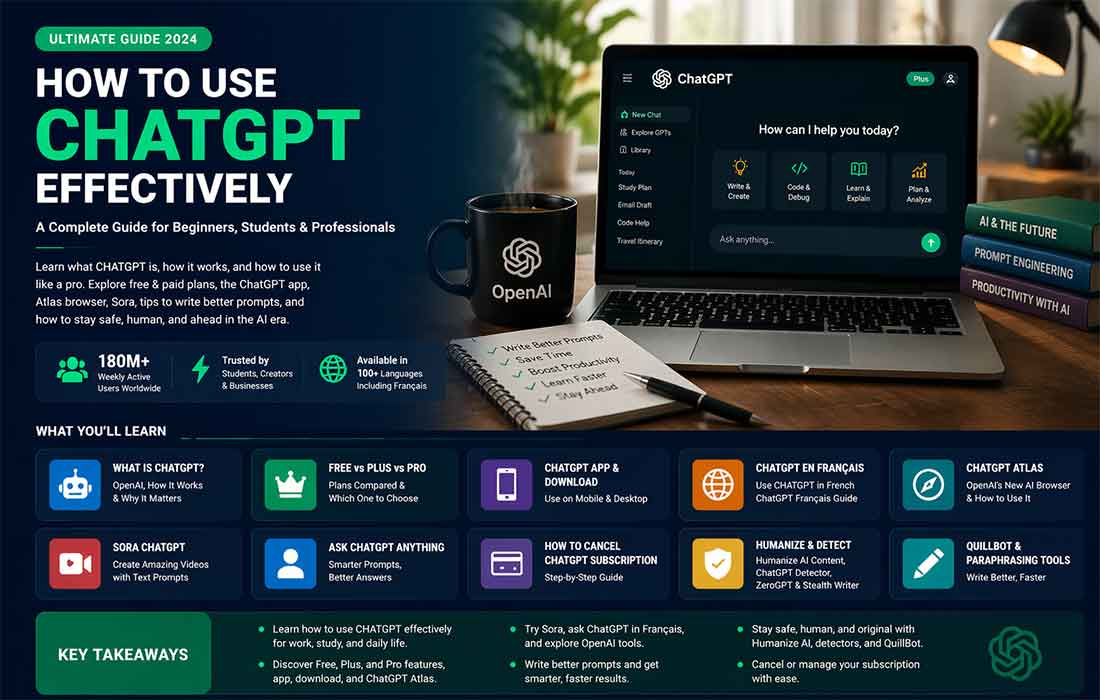
As artificial intelligence continues to evolve, tools like ChatGPT are changing the way we interact with technology. Whether you’re a student, professional, entrepreneur, or content creator, mastering ChatGPT can significantly improve your efficiency, creativity, and productivity. If you haven’t explored the full potential of ChatGPT yet, you’re in the right place. This article will guide you through everything you need to know about how to use ChatGPT effectively.
From understanding what ChatGPT is and how it works to learning practical tips and advanced techniques for maximizing your experience, this guide has you covered. By the end, you’ll know how to leverage ChatGPT’s features to tackle tasks more efficiently and unlock new opportunities for personal and professional growth.
What is ChatGPT and Why Should You Use It?
ChatGPT is an AI language model created by OpenAI. Built on GPT-3 and later refined in newer versions, ChatGPT can understand and generate human-like text. This technology is not just a chatbot—it’s a versatile tool capable of generating text, answering questions, helping with creative projects, automating customer service, and much more.
Whether you’re looking to enhance productivity or simply automate repetitive tasks, ChatGPT offers a range of possibilities. The most remarkable aspect of ChatGPT is its ability to generate contextually accurate and insightful responses to any query or prompt.
How ChatGPT Works
At its core, ChatGPT functions by analyzing a large amount of data, recognizing patterns, and responding accordingly. It works in real-time to generate answers based on the input it receives, from simple factual questions to more complex prompts. This AI model’s ability to understand natural language and generate human-like text is what makes it an incredibly useful tool.
Getting Started: How to Access ChatGPT
Before we dive into how to use ChatGPT effectively, let’s first explore how you can access it.
- ChatGPT Free: OpenAI provides ChatGPT Free, which is accessible to anyone who creates an account on their website. With this version, you can start using ChatGPT immediately, but keep in mind that you might face some limitations, such as slower response times or fewer features.
- ChatGPT Plus: If you want faster access and better performance, you can opt for ChatGPT Plus. It provides priority access, faster response times, and increased availability during high-demand periods.
- ChatGPT Pro: ChatGPT Pro is ideal for heavy users, offering the most advanced features and no restrictions on usage. This version is perfect for professionals, businesses, or researchers who need consistent, high-quality interactions with the AI.
How to Use ChatGPT Effectively: Best Practices
Using ChatGPT effectively depends on how you phrase your queries, how you experiment with its capabilities, and how you integrate it into your daily routine. Let’s dive deeper into the key strategies that will help you maximize the power of ChatGPT.
1. Crafting Effective Queries
To get the best responses from ChatGPT, it’s essential to know how to craft your queries. Here’s a breakdown of how to ask better questions:
Be Specific
The more specific your question, the better ChatGPT can respond. For example, asking “What is AI?” will give you a general overview. However, asking “What is the role of AI in healthcare diagnostics?” will provide you with a much more focused answer.
Use Follow-Up Questions
If you need more detailed information, don’t hesitate to ask follow-up questions. ChatGPT is designed to remember the context, so you can continue the conversation without losing track.
For instance:
- User: “How can AI improve healthcare?”
- ChatGPT: Provides an overview.
- User: “Can you give specific examples of AI in diagnosing diseases?”
Ask for Examples
If you’re learning about a complex subject, ask ChatGPT to give examples. Examples make abstract concepts much easier to understand.
Example:
User: “Explain machine learning in simple terms.”
ChatGPT: “Machine learning is a type of AI where computers learn from data. For example, spam filters use machine learning to detect and block unwanted emails.”
2. Optimizing Your Workflow
One of the best ways to use ChatGPT is to integrate it into your workflow. Whether you are working on a project, creating content, or managing tasks, ChatGPT can be an invaluable tool.
For Content Creation
If you’re a writer or content creator, ChatGPT can help you generate ideas, write articles, and even suggest improvements. Here’s how to use ChatGPT for content creation:
- Generate Ideas: Ask ChatGPT for blog post ideas, social media content ideas, or even brainstorming sessions for creative writing.
- Write Drafts: You can ask ChatGPT to write drafts of articles, emails, or other documents.
- Improve Writing: Use ChatGPT as a writing assistant to suggest edits and improvements, refine your content, or make it more engaging.
For Business Tasks
Business owners can use ChatGPT to draft emails, write proposals, summarize reports, and automate customer support. For instance, ask ChatGPT to help with:
- Creating Customer Service Responses: Automatically generate responses to common customer inquiries.
- Drafting Business Proposals: Ask ChatGPT to help write or optimize your business proposals.
3. Using ChatGPT for Learning and Research
ChatGPT is an excellent resource for students, researchers, and anyone looking to learn more about a subject. Here’s how to use ChatGPT effectively for academic purposes:
- Research Assistance: Use ChatGPT to summarize research papers, explain difficult concepts, or provide insights into complex subjects.
- Homework Help: If you’re struggling with a problem or equation, ask ChatGPT for step-by-step solutions.
- Study Aid: Use ChatGPT to quiz yourself on various subjects, or ask it to create flashcards for exam preparation.
Real-World Example
Let’s say you’re a student studying biology and struggling with genetics. You can ask:
- “Explain Mendelian genetics.”
- “Give me examples of dominant and recessive traits.”
ChatGPT can then provide concise answers, explanations, and examples to help solidify your understanding.
4. Language Support with ChatGPT
Whether you’re learning a new language or need help with translation, ChatGPT can assist in multiple languages. For example:
- ChatGPT Français: If you’re a French speaker, you can use ChatGPT in French, making it easy to get help with writing, translating, or learning in your native language.
- Translate Text: ChatGPT can translate text or help you understand phrases in different languages.
Example:
User: “Translate this text to French: ‘How are you today?’”
ChatGPT: “Comment ça va aujourd’hui?”
5. Using ChatGPT for Creative Projects
ChatGPT isn’t just for research and productivity—it’s also a fantastic tool for creative endeavors:
- Creative Writing: Ask ChatGPT to help with brainstorming story ideas, creating characters, or writing dialogue.
- Art Ideas: Whether you’re a digital artist or graphic designer, ChatGPT can help you brainstorm art concepts or even give you feedback on your creative process.
- Music Creation: Musicians can ask ChatGPT for song lyrics, melodies, or even chord progressions.
Maximizing the Benefits: ChatGPT Plus and ChatGPT Pro
ChatGPT Plus
If you’re a frequent user of ChatGPT, you may want to consider ChatGPT Plus. This subscription service provides enhanced features, including faster response times and priority access during peak usage periods.
ChatGPT Pro
For power users, ChatGPT Pro offers the highest level of performance and the most robust features. It’s designed for professionals, businesses, and heavy users who need fast, consistent access to ChatGPT’s capabilities.
Key Takeaways
- ChatGPT is a versatile tool that can assist with writing, learning, business tasks, and creative projects.
- The more specific your queries, the better ChatGPT can help you.
- ChatGPT Free offers basic access, while ChatGPT Plus and ChatGPT Pro provide faster, more robust features for regular users.
- ChatGPT can be integrated into your daily workflow to save time and boost productivity.
- Whether you’re using ChatGPT for academic purposes, creative writing, or professional tasks, there’s an abundance of ways to maximize its potential.
Conclusion: Start Using ChatGPT Effectively Today
Now that you understand how to use ChatGPT effectively, it’s time to start incorporating it into your daily routine. Whether you’re writing a blog post, managing a project, or learning a new subject, ChatGPT is a tool that can help you work smarter, not harder.
So, dive in, experiment with different queries, and explore the endless possibilities ChatGPT offers. With the right approach, you’ll be able to make ChatGPT an indispensable part of your personal and professional life.
FAQs (People Also Ask)
- What is ChatGPT?
ChatGPT is an advanced AI language model developed by OpenAI that generates human-like text responses based on prompts. It can assist with various tasks such as writing, research, and content generation. - How can I use ChatGPT for business?
ChatGPT can help businesses by drafting emails, automating customer support, generating content, and more, improving overall productivity. - What are the differences between ChatGPT Free, Plus, and Pro?
ChatGPT Free offers basic access, while ChatGPT Plus and Pro offer faster response times, priority access, and additional features. - Can ChatGPT help with language translation?
Yes, ChatGPT can assist with translating text or phrases in different languages, including French, Spanish, and more. - How does ChatGPT help with academic writing?
ChatGPT can generate outlines, summarize articles, explain complex topics, and help with drafting essays or papers.