A Game-Changer for iPhone Security, Maps, and Features
Apple’s latest release, the iOS 26.5 update, rolled out on May 11, 2026, and it’s a milestone in iPhone technology, offering a range of security enhancements, new features, and improved user experiences. Whether you’re a tech enthusiast, privacy-conscious user, or someone who simply loves Apple‘s latest innovations, iOS 26.5 packs several exciting changes worth exploring.
This update not only enhances the security and performance of iPhones, but it also introduces new features like end-to-end encrypted RCS messaging, Apple Maps upgrades, hardware interoperability, and more. These enhancements make iOS 26.5 a critical update, setting the stage for the release of iOS 27 at WWDC in June. Let’s dive deep into what makes iOS 26.5 so revolutionary.
Apple has addressed this by introducing end-to-end encryption for RCS.
End-to-End Encrypted RCS Messaging on iPhone
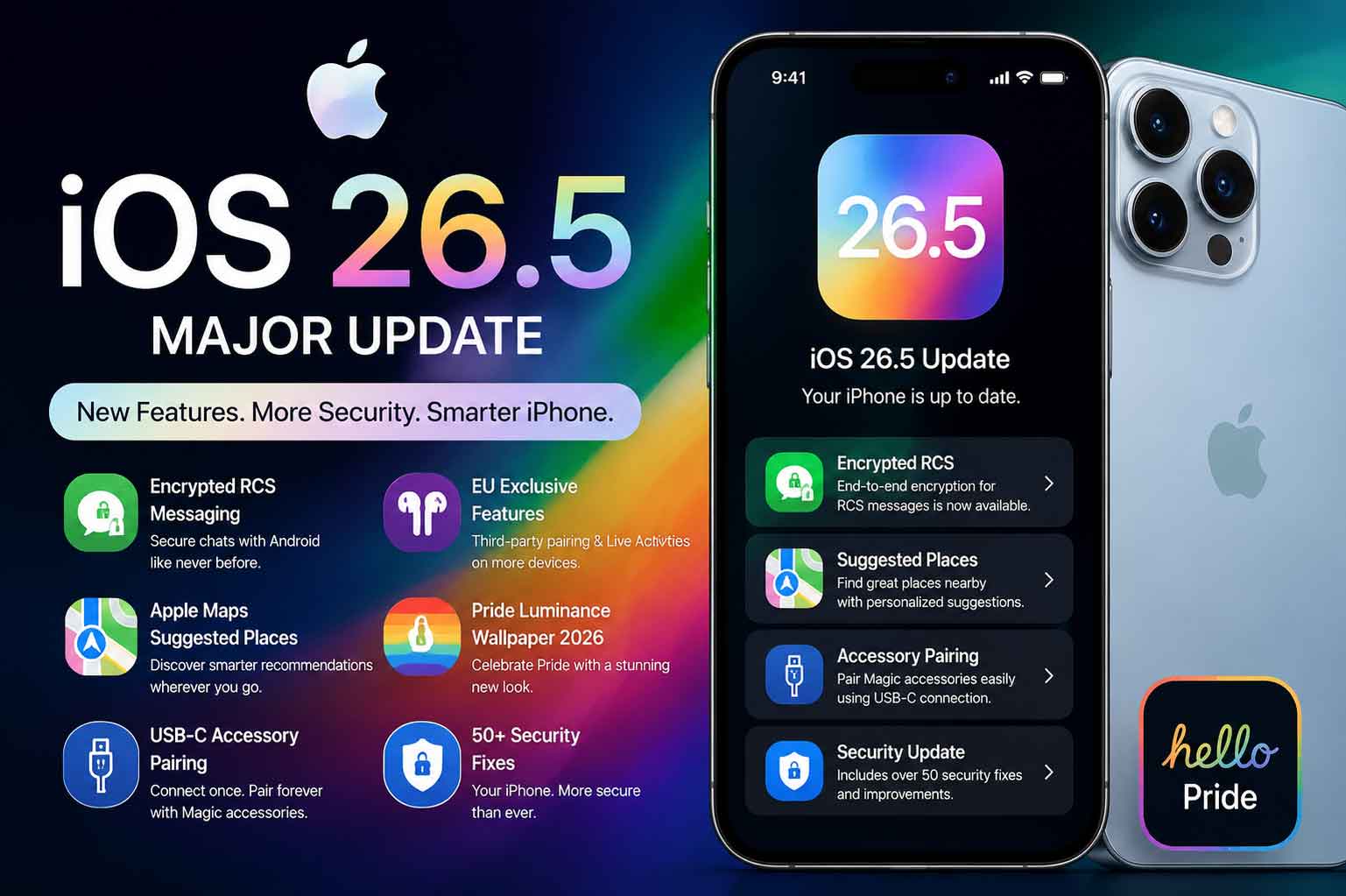
One of the standout features of iOS 26.5 is the long-awaited end-to-end encrypted RCS messaging. RCS (Rich Communication Services) is designed to provide a more modern and feature-rich messaging experience than SMS. It allows for features such as read receipts, typing indicators, high-resolution media sharing, and much more. However, up until now, RCS messaging lacked the level of security users have come to expect from modern platforms.
With iOS 26.5, Apple has addressed this by introducing end-to-end encryption for RCS. This means that all messages sent via RCS are secure, just like iMessages. Users will notice a lock icon next to messages sent in RCS chats, signaling that the communication is encrypted. This feature is especially important for those who communicate across platforms, as it ensures a similar level of security as iMessage when chatting with Android users.
It’s important to note that RCS encryption requires carrier support, so not all users may have immediate access to this feature. However, once enabled, it will allow iPhone users to send encrypted messages to Android users, significantly enhancing cross-platform communication security.
How to Enable RCS Encryption on iPhone:
To enable end-to-end encryption for RCS on your iPhone, ensure that your carrier supports this feature and that both you and the recipient are using iOS 26.5. Navigate to Settings > Messages, and you’ll find the option to turn on RCS Encryption under the Messaging settings.
Apple Maps: Suggested Places and the Future of Ads
In iOS 26.5, Apple Maps is becoming even smarter and more personalized. One of the new features introduced is Suggested Places. This feature leverages data about your previous searches, location preferences, and even real-time information to suggest relevant places in your area. For example, if you frequently search for coffee shops, Apple Maps will suggest nearby cafes based on your history and preferences.
Suggested Places is designed to help users discover new locations tailored to their interests, making it easier to find new spots that you’re likely to enjoy. Whether you’re looking for a restaurant, park, or museum, this feature enhances the overall navigation experience.
In addition to Suggested Places, Apple Maps ads will be making their debut in the summer of 2026. This marks a significant shift for Apple as it enters the location-based advertising market. With Apple Maps ads, local businesses will be able to promote themselves directly to users based on their location and search behavior, similar to how ads work on Google Maps.
How Apple Maps Ads Will Work:
Apple Maps ads will appear when users search for specific locations or points of interest. These ads will seamlessly integrate into the map interface, offering users the opportunity to discover businesses near them. This is expected to be a game-changer for small and medium-sized businesses looking to gain more visibility within the Apple ecosystem.
Security Fixes and Vulnerabilities in iOS 26.5
For privacy-conscious users, one of the most important aspects of iOS 26.5 is the security update. Apple has addressed over 50 security vulnerabilities in this release, patching everything from kernel vulnerabilities to app-related flaws. These fixes are vital for keeping your device secure from potential threats and are a major reason to update your device as soon as possible.
The security improvements also extend to iCloud, Apple Pay, Face ID, and iMessage. Apple continues to bolster the overall security of the ecosystem with each update, ensuring that iPhone users are better protected from malicious activities. For those who are concerned about data privacy, this update addresses multiple zero-day vulnerabilities, keeping your personal information safe.
Why iOS 26.5 is Essential for Security
iOS 26.5 is packed with essential security updates, and it’s one of the safest updates Apple has ever released. This update is highly recommended for anyone who values privacy and wants to ensure their device is secure against the latest cyber threats. The introduction of RCS encryption further strengthens the security of messaging, making it a must-have for those who prioritize data protection.
How to Pair Magic Keyboard to iPhone via USB-C
For users who rely on external accessories, iOS 26.5 brings a significant update: the ability to pair your Magic Keyboard directly to your iPhone via USB-C. Previously, pairing was limited to Bluetooth, but the new update adds the option to connect through USB-C, ensuring a more stable connection and faster pairing process.
This new feature improves the overall experience when using the Magic Keyboard with your iPhone, making it easier to work on documents or browse the web. Once paired, the keyboard connects wirelessly via Bluetooth, allowing for an efficient and hassle-free experience.
How to Pair Magic Keyboard via USB-C:
- Connect the Magic Keyboard to your iPhone using a USB-C cable.
- Open Settings on your iPhone and go to Bluetooth.
- Follow the on-screen instructions to pair the device.
EU-Specific Features: Third-Party Accessories and Live Activities
iOS 26.5 introduces several new features specifically aimed at European Union (EU) users. These features are aligned with the region’s laws and regulations concerning hardware interoperability and third-party devices.
One major change is the one-tap pairing for third-party earbuds. With this feature, users can quickly connect non-Apple Bluetooth devices to their iPhone by simply tapping the pairing prompt. Additionally, Live Activities can now be synced to non-Apple smartwatches, a long-awaited feature that allows users in the EU to integrate their iPhone’s activities with third-party wearables.
These updates align with the EU’s push for better interoperability and are a big win for users who want to connect their iPhone to a wider array of devices.
Comparing iOS 26.5 vs iOS 26.4: Battery Performance
When it comes to battery life, iOS 26.5 introduces optimizations that improve overall battery performance. If you’ve been experiencing battery drain issues with earlier versions, iOS 26.5 brings improvements that better manage background tasks and resource-heavy apps. The update focuses on improving the power efficiency of the iPhone, so you’ll notice better performance when running multiple apps.
For iPhone 13 users, this means longer battery life and better power management, especially during periods of heavy use. The update also fixes several battery drain bugs that have been reported by users of older devices.
- iOS 26.5 introduces end-to-end encrypted RCS messaging for secure cross-platform communication.
- Apple Maps adds Suggested Places and prepares for the rollout of Apple Maps ads.
- iOS 26.5 includes 50+ security patches, improving the safety of your device.
- Magic Keyboard pairing via USB-C improves accessory integration.
- EU-specific features include one-tap pairing for third-party earbuds and integration with non-Apple smartwatches.
FAQs
Q1: How do I enable end-to-end encryption for RCS on iPhone?
Go to Settings > Messages > RCS Encryption, and toggle the setting to enable it.
Q2: Is iOS 26.5 safe to install on iPhone 13?
Yes, iOS 26.5 is safe and includes numerous security improvements, making it highly recommended for iPhone 13 users.
Q3: What are Suggested Places in Apple Maps iOS 26.5?
Suggested Places recommend nearby spots based on your preferences and search history.
Q4: How does iOS 26.5 compare to iOS 26.4 in terms of battery performance?
iOS 26.5 improves power efficiency and offers longer battery life, especially with background tasks.
Q5: How do I pair my Magic Keyboard to an iPhone via USB-C?
Simply connect your Magic Keyboard with a USB-C cable and follow the pairing instructions in the Bluetooth section of Settings.
Conclusion
The iOS 26.5 update marks a significant step forward in security, privacy, and user experience. With improvements like RCS encryption, Apple Maps enhancements, and better hardware compatibility, this update sets a new standard for iPhone users. Whether you’re focused on privacy, convenience, or just want the latest features, iOS 26.5 has something for everyone.
For users in the EU, this update is especially notable, with new functionalities like third-party accessory pairing and integration with non-Apple devices. If you’re ready to experience a more secure and seamless iPhone experience, it’s time to upgrade to iOS 26.5.