Top Windows Applications 2026: Essential Software for Every PC User
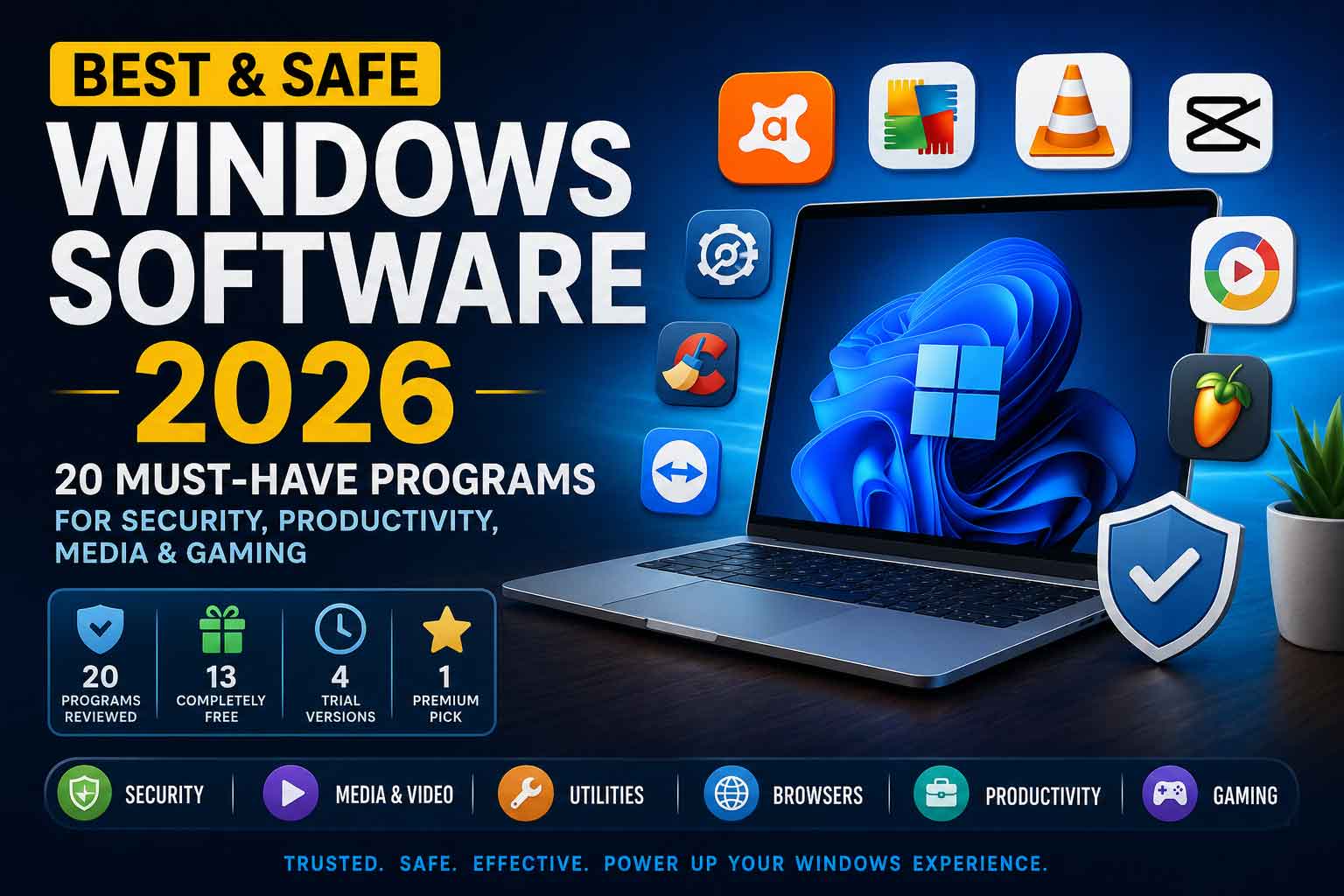
Finding reliable, safe software for Windows can feel overwhelming. With thousands of programs available online — many bundled with adware or worse — knowing which tools are genuinely trustworthy matters. This guide reviews 20 of the best and safest Windows programs available today, covering everything from security and media to utilities and gaming.
The good news? Of the 20 programs on this list, 13 are completely free, 4 are available as highly functional trials, and only 1 requires a paid purchase. You can build a fully capable, protected Windows PC without spending a single penny.
Quick Overview: What’s on This List
Before diving into individual reviews, here’s a breakdown of what this list covers:
- Total programs reviewed: 20
- Fully free: 13
- Trial versions: 4
- Paid: 1
- Categories: Security, Media, Utilities, Browsers, Productivity, Gaming
Security & Antivirus Software
Windows users face constant threats from malware, ransomware, and phishing attacks. These six tools form a solid, layered defence for any PC.
1. Avast One Free Antivirus
Price: Free
Avast One is one of the most feature-complete free antivirus solutions available. Beyond standard malware protection, it bundles a VPN, data breach monitoring, and performance optimization tools into a single package. Real-time scanning runs quietly in the background without noticeably impacting system performance. For users who want comprehensive protection without paying for multiple separate tools, Avast One is an excellent starting point.
Best for: Users who want an all-in-one free security suite.
2. AVG AntiVirus FREE
Price: Free
AVG has been a trusted name in antivirus for decades, and its free offering remains one of the strongest available. The software strikes a careful balance between protection and performance — making it especially well-suited for older or lower-powered machines that can’t afford heavy resource usage. AVG and Avast are owned by the same parent company (Gen Digital), so they share threat intelligence databases, meaning both offer comparable detection rates.
Best for: Users with older PCs who need lightweight but effective protection.
3. AVG PC TuneUp
Price: Trial version
While not strictly an antivirus tool, AVG PC TuneUp plays an important role in overall security by eliminating digital clutter that can slow systems and create vulnerabilities. It analyzes startup programs, junk files, and system settings to identify genuine performance bottlenecks. The trial version provides a thorough diagnosis and preview of what improvements are possible before committing to the full subscription.
Best for: Users looking to diagnose and optimize an aging Windows PC.
4. Avast Cleanup
Price: Trial version
Avast Cleanup targets deep-rooted performance issues that standard antivirus tools miss — bloatware, unnecessary background apps, and accumulated browser junk. Its Automatic Maintenance feature can be set to clean silently in the background. Like AVG PC TuneUp, the trial version is generous enough to give users a clear picture of what the full product delivers before purchasing.
Best for: Users wanting a deeper PC cleanup than basic tools provide.
5. Avast Secure Browser for Windows
Price: Free
Built on Chromium, Avast Secure Browser adds a meaningful layer of privacy on top of a familiar browsing experience. It blocks ads and trackers automatically, prevents browser fingerprinting, and includes a built-in VPN option. Users already in the Avast ecosystem will find it integrates naturally with their existing protection setup.
Best for: Privacy-conscious users who want security built into their browser without extra extensions.
6. AVG Secure Browser
Price: Free
AVG’s counterpart to Avast Secure Browser offers the same core privacy features — ad blocking, anti-fingerprinting, and protection against malicious websites — wrapped in a clean, fast interface. Like Avast Secure Browser, it is Chromium-based, so Chrome extensions work seamlessly. Choosing between this and Avast Secure Browser largely comes down to which antivirus brand you already use.
Best for: AVG antivirus users who want a matching secure browser.
Media & Video Software
From playing videos to editing content and producing music, these four tools cover every stage of media creation and consumption.
7. VLC Media Player 64-bit
Price: Free
VLC is the undisputed king of free media players. It plays virtually every audio and video format ever created — without requiring codec packs, subscriptions, or registration. Open-source, ad-free, and maintained by a global community of developers, VLC has earned its place on essentially every Windows PC for good reason. The 64-bit version offers better performance on modern hardware.
Best for: Everyone. VLC is a must-have on any Windows machine.
8. CapCut
Price: Free
CapCut has rapidly become one of the most popular free video editors, particularly among content creators for social media platforms. It offers an intuitive timeline editor, AI-powered tools, templates, transitions, and effects that bring previously professional-only capabilities to everyday users. The desktop version retains the simplicity of the mobile app while expanding the canvas for more complex projects.
Best for: Content creators, YouTubers, and social media video editors.
9. Format Factory
Price: Free
Format Factory is a comprehensive free media conversion tool that handles video, audio, and image format conversion with ease. It supports virtually every format, can rip content from DVDs and CDs, and even includes basic repair functionality for corrupted media files. Its batch conversion feature is particularly useful for users working with large libraries of mixed-format content.
Best for: Users who regularly work with diverse media formats and need reliable conversion.
10. FL Studio (Trial Version)
Price: Trial version
FL Studio is one of the world’s leading digital audio workstations, used by Grammy-winning producers and bedroom beatmakers alike. The trial version is unusually generous — it provides full access to all features including the piano roll, mixer, effects chain, and plugin library. The only restriction is that saved projects cannot be reopened without purchasing a license. This makes it ideal for learning, experimenting, and producing music before committing to a purchase.
Best for: Aspiring music producers who want to explore a professional DAW before buying.
System Utilities & Tools
These tools keep your Windows system clean, organized, and running at its best.
11. CCleaner Free
Price: Free
CCleaner is one of the oldest and most trusted PC optimization tools available. It removes browser caches, temporary system files, and unnecessary registry entries that accumulate over time and slow Windows down. Its simple, approachable interface makes it accessible even to users who are not technically inclined. A quick CCleaner run before major tasks can noticeably improve system responsiveness.
Best for: Everyday users who want a simple, reliable tool to keep their PC clean.
12. WinRAR 64-bit
Price: Trial version (functionally unlimited)
WinRAR has been a staple of Windows software for over 30 years — and for good reason. It handles RAR, ZIP, and dozens of other archive formats, supports AES-256 encryption for sensitive files, and can recover data from damaged archives better than most competitors. Technically a trial, WinRAR’s 40-day evaluation period has historically never been enforced, making it effectively free for most users while retaining its premium-grade compression capabilities.
Best for: Anyone who regularly deals with compressed files, archives, or encrypted data.
13. WinRAR 32-bit
Price: Trial version
The 32-bit version of WinRAR is identical in functionality to its 64-bit counterpart but is designed for older Windows systems or specific compatibility scenarios where 32-bit applications are required. If you’re running a modern 64-bit Windows installation, the 64-bit version is recommended. For legacy systems, this version ensures you aren’t left without dependable archiving tools.
Best for: Users on older 32-bit Windows systems or legacy hardware.
14. AnyDesk
Price: Free
AnyDesk is a fast, lightweight remote desktop application that allows you to access another computer from anywhere in the world. It competes directly with TeamViewer but with a smaller installation footprint and excellent performance even on low-bandwidth connections. Whether you’re providing remote tech support to a family member or accessing your work PC from home, AnyDesk makes the process effortless.
Best for: Remote workers, IT support providers, and anyone who needs to access another PC remotely.
Web Browsers
The right browser can significantly impact your daily productivity, security, and privacy online.
15. Google Chrome
Price: Free
Google Chrome is the world’s most widely used browser, holding over 60% of global market share. Its speed, extensive extension library, seamless Google account integration, and developer tools make it the default choice for most users. Chrome receives regular security updates and benefits from Google’s Safe Browsing technology, which blocks known malicious websites in real time. While it uses more RAM than some competitors, its performance and compatibility remain unmatched.
Best for: General use — especially users in the Google ecosystem.
Productivity & Document Tools
16. Adobe Acrobat Reader DC
Price: Free
Adobe Acrobat Reader DC is the gold standard for opening, reading, and annotating PDF files. As the software that created the PDF format, Adobe’s reader renders even the most complex documents — including forms, digital signatures, and embedded multimedia — with perfect fidelity. It supports annotation tools, form filling, and digital signature verification, making it an essential tool for professional document workflows.
Best for: Anyone who regularly opens, reviews, or fills out PDF documents.
17. 2007 Microsoft Office Add-in: Save as PDF or XPS
Price: Free
Before PDF export was built natively into Office, this add-in brought that capability to Microsoft Office 2007 applications including Word, Excel, and PowerPoint. While modern Office versions include PDF export by default, this add-in remains valuable for users still running Office 2007, enabling professional-quality document distribution without third-party tools. It is a lightweight, reliable solution for a specific but important need.
Best for: Users running legacy Microsoft Office 2007 installations.
Gaming
18. EA SPORTS Cricket
Price: Free
EA SPORTS Cricket 2007 is a beloved classic that continues to attract players — particularly in cricket-loving regions such as South Asia, the UK, and Australia. Despite being nearly two decades old, the game delivers a fast-paced, engaging cricket experience with intuitive controls. Its extremely low system requirements mean it runs on virtually any hardware, and regular fan-made patches continue to update rosters and kits, keeping the game surprisingly fresh.
Best for: Cricket fans, especially those on older hardware looking for a lightweight sports game.
19. Grand Theft Auto: Vice City
Price: Paid
Grand Theft Auto: Vice City is the only paid title on this list — and it more than earns its place. Set in a neon-drenched, 1980s Miami-inspired city, Vice City blends open-world freedom with a cinematic storyline, memorable characters, and one of the greatest video game soundtracks ever assembled. Over 20 years after its original release, it remains a landmark achievement in game design. Its cultural significance and enduring entertainment value make it worth every penny.
Best for: Gamers who want a classic open-world experience with timeless design and storytelling.
20. Adobe Photoshop 7.0.1 Update
Price: Free
This is a stability and bug-fix update patch for Adobe Photoshop 7, a version of the software that defined digital image editing for an entire generation of designers and photographers. While modern creative professionals have moved to newer versions, this update remains important for users still operating legacy Photoshop 7 installations, ensuring the software runs stably and correctly on older Windows environments.
Best for: Users maintaining legacy Photoshop 7 installations on older systems.
Final Thoughts: Building the Perfect Free Windows Setup
What makes this collection of 20 programs truly impressive is the quality available at zero cost. A user building a Windows PC from scratch could install 18 of these 20 programs without spending anything — and end up with a machine that is protected, productive, and capable of handling media, documents, remote access, and entertainment at a professional level.
Here are the standout picks by category:
- Best free antivirus: Avast One Free Antivirus
- Best media player: VLC Media Player
- Best browser: Google Chrome
- Best video editor: CapCut
- Best compression tool: WinRAR 64-bit
- Best remote access: AnyDesk
- Best DAW trial: FL Studio
- Best paid game: Grand Theft Auto: Vice City
Whether you’re setting up a new PC, doing a fresh Windows install, or simply looking to fill gaps in your software toolkit, this list gives you everything you need to get started safely and confidently.