
Lenovo X1 Carbon: Worth It in Canada?
There is a reason the Lenovo X1 Carbon keeps showing up in premium laptop conversations. It is not flashy in the way some ultrabooks are. It does not try to look like a toy for social media. Instead, it feels like a machine built for people who actually work: consultants rushing through airports, founders jumping between calls, writers living in browser tabs, and teams that need a laptop to feel light, fast, secure, and dependable.
That is exactly why the latest ThinkPad X1 Carbon matters right now. Lenovo positions the current Lenovo ThinkPad X1 Carbon Gen 13 Aura Edition as a premium AI PC with Intel Core Ultra, Windows 11 Pro, and 40+ TOPS-class AI capability, while Microsoft defines Copilot+ PCs as systems with an NPU capable of more than 40 TOPS. At the same time, Gartner says AI PCs are becoming a much bigger part of the global market, which helps explain why laptops like this are drawing so much attention from business buyers in Canada, the USA, and beyond.
For Canadian buyers, the real question is not whether the lenovo thinkpad x1 carbon is famous. It is whether it is still worth paying premium money for in a market full of thinner designs, lower-cost alternatives, and strong competition from Dell and other high-end Windows laptops. That is where this guide helps.
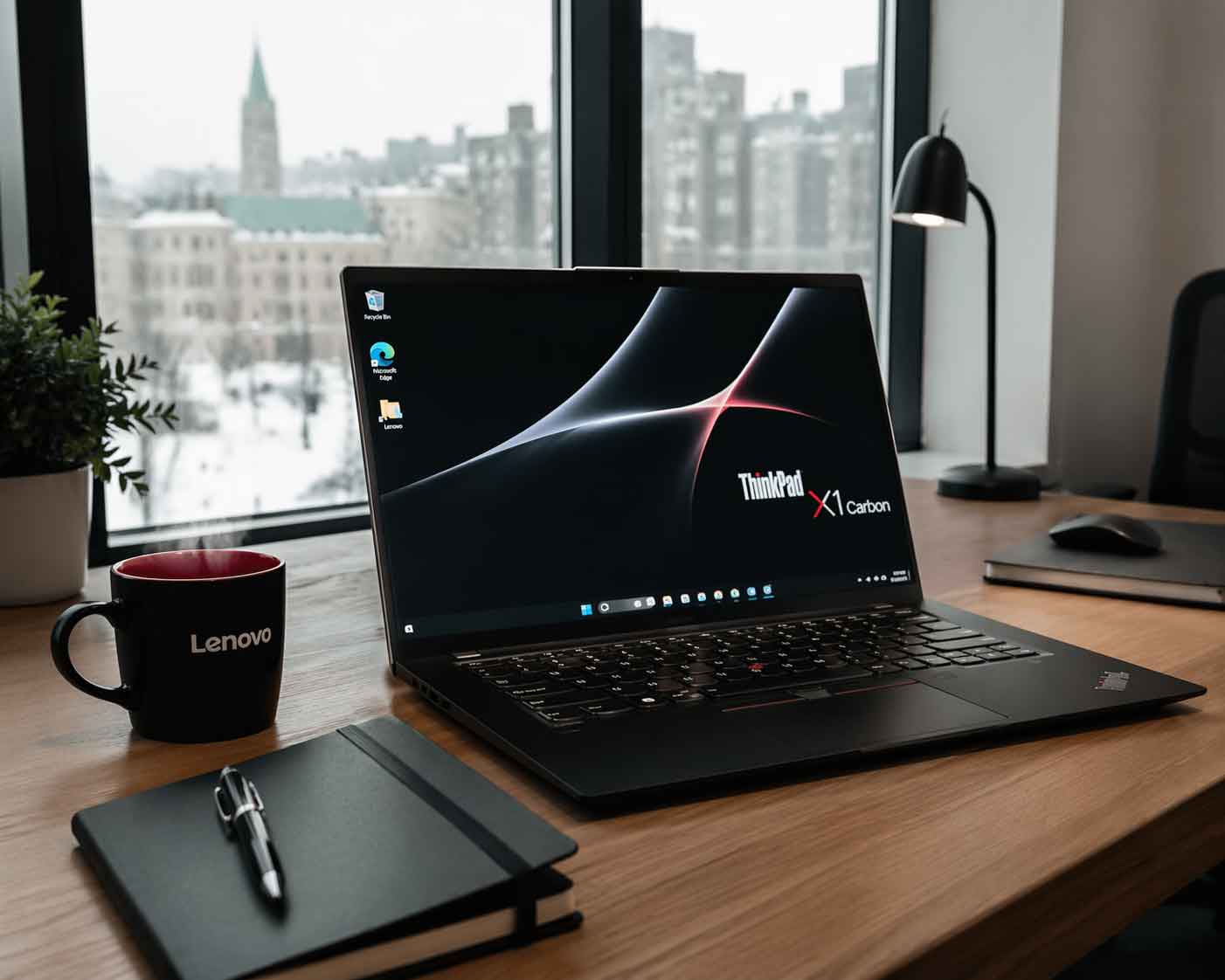
Why the ThinkPad X1 Carbon still stands out
The biggest strength of the Lenovo ThinkPad X1 Carbon is balance. Lenovo did not build this machine around one flashy spec. It built it around the daily experience. According to Lenovo’s official PSREF documentation, the Gen 13 model starts at about 986 g on select Lunar Lake configurations, includes a 57Wh battery, offers Rapid Charge support, and gives users a business-friendly port selection that still includes USB-A, HDMI, dual Thunderbolt 4, and a headphone jack. That matters because many ultraportables still force users into dongle life.
The display options also show Lenovo understands different buyer priorities. The thinkpad lineup offers WUXGA IPS choices for battery-conscious users and 2.8K OLED options for buyers who want richer visuals and up to 120Hz refresh support on select models. Add the classic ThinkPad keyboard, TrackPoint ecosystem, and the familiar business-first design language, and you get a laptop that feels refined rather than trendy.
This is the reason people who already trust the lenovo thinkpad name keep returning to the X1 line. It is not just a premium lenovo laptop. It is a machine designed for heavy daily productivity.
Lenovo X1 Carbon Canada pricing and availability
Canadian buyers should go into this purchase expecting premium pricing. Lenovo’s Canada X1 lineup page listed the ThinkPad X1 Carbon Gen 13 Aura Edition starting at C$2,929, while some Lenovo Canada product pages also showed “temporary unavailable” or “coming soon” messaging at the time of review. That combination tells you two things: first, the lenovo x1 carbon canada market is clearly premium, and second, inventory and configuration availability can shift fast.
That pricing puts the laptop squarely in executive and professional territory. It is not the machine most students should buy unless they specifically need enterprise features, ultra-low weight, and long-term business reliability. It makes much more sense for consultants, remote leaders, legal professionals, finance teams, technical managers, and founders who spend hours in documents, calls, presentations, and secure client workflows.
A good Canadian buying rule is this: if your laptop is a core earning tool, the premium may be justified. If you mostly browse, stream, and handle light office tasks, there are cheaper options in Lenovo’s broader family that make more financial sense.
Real-world performance: what reviewers are actually saying
One of the smartest ways to judge a device like the lenovo thinkpad x1 is to look past marketing and see where reviewers agree. That consensus is fairly clear. Tom’s Hardware praised the X1 Carbon Gen 13 as an excellent productivity laptop and highlighted how strikingly light it feels. Laptop Mag also praised the vivid display and comfortable keyboard, though it criticized the price and said its measured battery life of around 11.5 hours may not satisfy every all-day road warrior. Tom’s Guide landed in a similar place, calling out the strong keyboard and sturdy slim design while warning that the asking price is steep for the performance level.
That mix of praise and caution is important. The Lenovo X1 Carbon is not winning because it crushes benchmarks. It wins because it nails the premium productivity experience. If your workday is email, research, Slack, writing, Excel, meetings, cloud apps, and a hundred Chrome tabs, the X1 Carbon makes sense. If your workflow is heavy 4K video editing, large local AI workloads, or demanding 3D rendering, the value equation becomes harder to defend.
In other words, this is a business ultraportable first, not a creator workstation pretending to be one.
ThinkPad design, security, and travel value
This is where the thinkpad x1 carbon justifies its reputation. Lenovo’s official documentation lists ThinkShield security, TPM 2.0, a fingerprint reader, optional IR camera for Windows Hello, camera privacy shutter options, and MIL-STD-810H testing. Those are not small details. For business users, they are often the difference between “nice laptop” and “approved laptop.”
Travel is another big advantage. A laptop that starts near the 1 kg mark changes how you work on the move. It disappears into a backpack. It feels comfortable on tray tables. It is easier to carry across terminals, campuses, hotel lobbies, and co-working spaces. For hybrid workers in Canada dealing with long commutes, winter travel, and work-from-anywhere schedules, that matters more than many spec sheets admit.
The X1 Carbon also fits neatly into a premium mobile setup. It is the kind of laptop people pair with Bose QuietComfort headphones, Bose noise cancelling headphones, Bose Ultra Open earbuds, or a desk with Bose speakers and a Bose soundbar. That may sound lifestyle-driven, but it reflects the real buyer: someone building a dependable, premium work environment.
The most obvious comparison is Dell’s XPS 13. Dell’s official XPS 13 specs list starting weights around 2.6 lb to 2.7 lb depending on configuration, making it light, sleek, and competitive on portability. But Lenovo’s X1 Carbon starts lighter on select configurations and includes a more practical port selection with USB-A, HDMI, dual Thunderbolt 4, and audio jack support, while Dell’s XPS 13 emphasizes a cleaner, more minimal design.
This creates a clear personality split. Buyers who want a sharper consumer-luxury feel may still lean Dell. Buyers who care more about keyboard quality, business usability, ports, and enterprise features will usually feel more at home with the lenovo thinkpad x1 carbon.
That is why the X1 Carbon remains so sticky in professional circles. It does not chase novelty. It removes friction. And in business laptops, friction removal is often the real premium feature.
The AI angle: why it matters more than hype
AI branding is everywhere right now, so it is fair to ask whether this is just marketing. In the X1 Carbon’s case, the answer is partly no. Microsoft says Copilot+ PCs require an NPU with more than 40 TOPS, and Lenovo’s documentation shows that Lunar Lake configurations of the current model meet that threshold, with integrated AI Boost reaching up to 48 TOPS in the NPU section. Gartner also projects that AI PCs will make up a large share of the market, with 31% of worldwide PC shipments in 2025 and 55% in 2026.
That does not mean you should buy the laptop for AI alone. It means the Lenovo X1 Carbon is better positioned for the near future than many older premium laptops. Live captioning, smarter video-call enhancements, local AI assistance, transcription, and workflow acceleration are becoming normal. Buying a premium business laptop without future-ready AI hardware is starting to feel short-sighted.
For Canadian professionals replacing a four- or five-year-old machine, this is one of the stronger reasons to move now rather than later.
Sustainability and business credibility
Another advantage that deserves more attention is sustainability. Lenovo’s official specs say the current X1 Carbon includes recycled carbon fiber in the top cover frame, 90% recycled magnesium on the keyboard frame, post-consumer recycled plastic in several components, plastic-free packaging, and certifications such as ENERGY STAR 9.0 and EPEAT Gold on eligible models.
For solo buyers, that may be a nice bonus. For larger organizations, it is increasingly part of procurement. ESG reporting, sustainability goals, and responsible sourcing are no longer side conversations in enterprise IT. They influence what gets approved and what gets renewed.
That gives the lenovo thinkpad x1 carbon another quiet advantage. It speaks the language of modern business buyers, not just gadget enthusiasts.
Key Takeaways
- The Lenovo X1 Carbon remains one of the best premium productivity laptops for professionals who value portability, keyboard quality, ports, and security.
- The current ThinkPad X1 Carbon Gen 13 Aura Edition starts around 986 g on select models and supports modern AI PC features, including Copilot+ eligibility on Lunar Lake versions.
- In Canada, pricing is premium, with Lenovo’s X1 lineup page listing the model from C$2,929 when checked.
- Reviewers consistently praise the weight, keyboard, and overall business usability, while also warning that the price is high for the performance tier.
- Compared with Dell XPS 13, the X1 Carbon usually wins on practicality and business-first design, while Dell leans more minimalist and consumer-premium.
Conclusion
The Lenovo X1 Carbon is still one of those rare laptops that knows exactly what it wants to be. It is not trying to be the cheapest. It is not trying to be the wildest. It is trying to be the premium work machine that stays out of your way.
For many Canadian buyers, that is exactly the point.
If your day is built around writing, meetings, travel, research, cloud tools, and serious business work, the ThinkPad X1 Carbon still earns its place near the top of the shortlist. But if your priority is raw price-to-performance, heavier creative power, or casual everyday use, you may get better value elsewhere.
The smart move is to buy it for the experience, not just the logo. And if that experience is what you need, the X1 Carbon still feels like one of the safest premium laptop bets you can make.
FAQs
Is the Lenovo X1 Carbon worth buying in Canada?
Yes, for the right buyer. It is worth it for professionals who need a light, secure, premium ThinkPad with strong keyboard quality, good ports, and business features. It is harder to justify for casual users because Canadian pricing sits firmly in the premium tier.
What is the difference between Lenovo ThinkPad X1 Carbon and Lenovo ThinkPad X1?
The Lenovo ThinkPad X1 label is the broader premium family, while ThinkPad X1 Carbon is one of the flagship clamshell models in that range. Lenovo’s Canada X1 hub places the X1 Carbon inside the wider X1 series lineup.
Is ThinkPad X1 Carbon better than Dell XPS 13?
For business users, often yes. The X1 Carbon offers more practical ports, stronger enterprise features, and a more traditional productivity experience. The XPS 13 stays attractive for buyers who prioritize sleek design and a more consumer-style premium feel.
Does the Lenovo X1 Carbon qualify as a Copilot+ PC?
Some current X1 Carbon Gen 13 Lunar Lake configurations do. Microsoft says Copilot+ PCs need an NPU capable of more than 40 TOPS, and Lenovo’s official documentation lists NPU capability up to 48 TOPS on relevant versions.
Where can Canadians look for the Lenovo X1 Carbon?
Start with Lenovo Canada, but also watch business resellers and enterprise channels. Lenovo’s own Canada pages showed premium pricing and shifting availability status when checked, so configuration and stock may change quickly.
Is there any connection between TELUS and the Lenovo X1 Carbon?
Not directly from the public offers checked here. TELUS has publicly promoted a Lenovo ThinkPad E-series laptop in certain internet bundle offers, but that is not the same as the X1 Carbon.
Why do searches sometimes show John Deere, Bose, Culligan water filter, water testing, water softener systems, or best water softener system when I am researching the X1 Carbon?
Usually because search intent gets messy. People often research many high-consideration products at once, and recommendation systems can blend those patterns together. So terms like John Deere, bose speakers, culligan water filter, water testing, water softener systems, or best water softener system are usually search-noise signals, not true alternatives to the Lenovo X1 Carbon.
Is the X1 Carbon good for remote work and travel?
Yes. Its low starting weight, strong port mix, security features, webcam options, and business-focused design make it a strong fit for remote work, commuting, and travel-heavy schedules.


