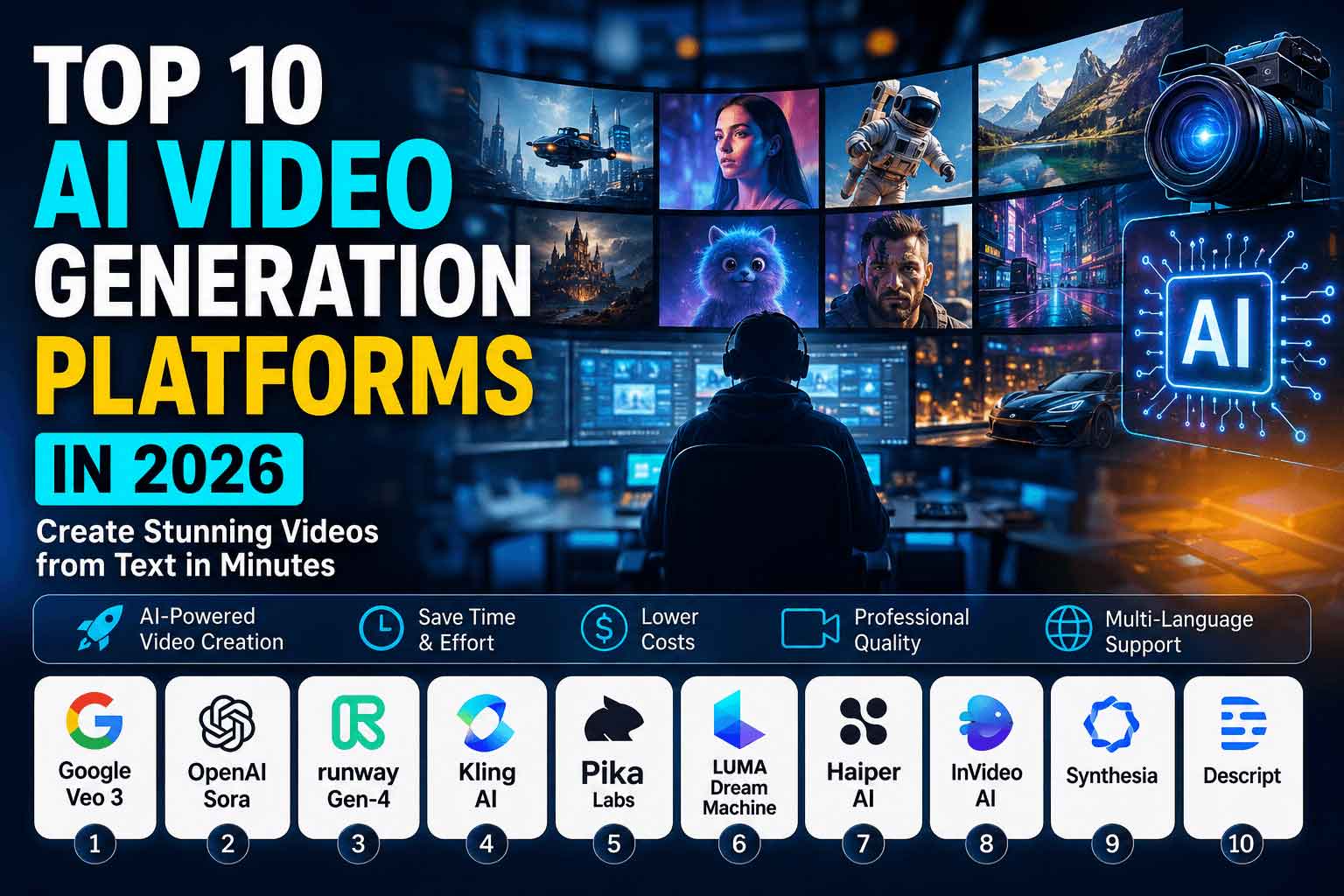
Top 10 AI Video Generation Platforms in 2026
Artificial Intelligence has completely transformed the way creators produce videos. Tasks that once required expensive cameras, editing software, actors, and weeks of production can now be completed in minutes using AI. Whether you’re a YouTuber, marketer, business owner, educator, or content creator, AI video generation platforms make it possible to create professional-quality videos with minimal effort.
The latest AI video generators can transform text prompts into cinematic videos, animate images, create AI avatars, generate realistic voiceovers, and even edit footage automatically. As competition among AI companies continues to grow, these platforms now offer impressive realism, better consistency, faster rendering, and support for multiple languages.
This guide explores the top 10 AI video generation platforms in 2026, comparing their strengths, pricing, ideal users, and standout features.
Why AI Video Generation Is Growing So Fast
The demand for video content continues to increase across YouTube, TikTok, Instagram Reels, Facebook, LinkedIn, and business websites. AI dramatically reduces production costs while helping creators publish content faster.
Benefits include:
- Faster content production
- Lower production costs
- No professional editing experience required
- AI voice narration
- Automatic subtitles
- Multiple language support
- Professional-quality visuals
- Improved marketing performance
Businesses, agencies, educators, and creators are rapidly adopting AI video tools because they improve productivity while maintaining high-quality output.
1. Google Veo 3 – The Most Advanced AI Video Generation Platform in 2026
When discussing the best AI video generation platforms, Google Veo 3 consistently ranks at the top. Developed by Google DeepMind, Veo 3 represents a significant leap forward in AI-powered video creation, enabling users to generate stunning, high-quality videos from simple text prompts. Whether you’re a YouTuber, filmmaker, digital marketer, educator, or business owner, Veo 3 offers professional-grade video generation without requiring expensive cameras, actors, or advanced editing skills.Unlike earlier AI video generators, Google Veo 3 excels at understanding complex prompts and producing realistic scenes with natural lighting, accurate physics, cinematic camera movements, and smooth character animations. The model can create everything from short social media clips to visually rich storytelling sequences, making it one of the most versatile AI video creation tools available today.
One of Veo 3’s standout capabilities is its ability to maintain scene consistency. Characters, objects, lighting conditions, and environments remain coherent throughout the generated video, resulting in a polished and professional final product. This level of consistency is particularly valuable for creators producing branded content, product demonstrations, educational tutorials, or cinematic YouTube videos.
Google Veo 3 also supports advanced prompt engineering. Users can specify camera angles, lens styles, movement, weather conditions, lighting effects, emotions, and even cinematic techniques such as drone shots, slow motion, dolly zooms, and time-lapse sequences. This gives creators exceptional creative control while dramatically reducing production time.Another major advantage is Veo 3’s realistic rendering of environmental effects. Rain, snow, reflections, shadows, smoke, water, fire, and atmospheric lighting are generated with impressive realism, helping videos feel much closer to professionally filmed footage than traditional AI-generated content.
As AI-generated content continues to gain popularity across platforms like YouTube, TikTok, Instagram Reels, and Facebook, Google Veo 3 has become a favorite among creators looking to produce engaging videos at scale. Many YouTube automation channels use Veo 3 to generate cinematic storytelling, product showcases, historical recreations, technology explainers, and educational animations with minimal manual editing.
Key Features of Google Veo 3
- Generates high-quality videos directly from detailed text prompts
- Produces ultra-realistic visuals with natural motion and physics
- Maintains excellent character and object consistency across scenes
- Supports cinematic camera movements, including pans, zooms, tracking shots, and aerial perspectives
- Creates realistic lighting, weather, reflections, and environmental effects
- Understands complex prompts with remarkable accuracy
- Generates high-resolution videos suitable for professional publishing
- Reduces production costs and speeds up content creation workflows
Pros
- Outstanding video realism
- Excellent prompt understanding
- Professional cinematic quality
- Smooth and natural motion
- Strong scene consistency
- Ideal for commercial and creative projects
Cons
- Premium features may require paid access
- Availability may vary by region or user account
- Complex prompts may require refinement to achieve the desired results
Best For
Google Veo 3 is ideal for:
- Professional content creators
- YouTube automation channels
- Marketing agencies
- Advertising campaigns
- Product demonstrations
- Educational videos
- Social media content creators
- Short films and cinematic storytelling
- Brand promotions
- AI-assisted filmmaking
Pricing
Google offers different access options depending on your subscription or workspace plan. Features and pricing may change as the platform evolves, so it’s best to check the official website for the latest information.
Official Website: https://deepmind.google/models/veo/
Learn More
If you’re interested in exploring Google Veo 3’s capabilities, visit the official Google DeepMind page:
Google Veo 3 Official: https://deepmind.google/models/veo/
2. OpenAI Sora – The Future of AI-Powered Storytelling
When discussing the best AI video generation platforms in 2026, OpenAI Sora is impossible to ignore. Developed by OpenAI, Sora has become one of the most advanced text-to-video AI models available, capable of generating highly realistic, detailed, and cinematic videos from simple written prompts.What makes Sora stand out is its ability to create long-form AI videos with impressive visual consistency. Unlike earlier AI video tools that struggled with scene continuity, Sora can maintain characters, environments, lighting, and object relationships across longer sequences, making it especially powerful for storytelling and professional content production.
Creators can describe a scene in natural language, and Sora generates video clips that include realistic human movement, environmental interaction, camera motion, and smooth transitions between actions. The model understands complex prompts involving multiple subjects, detailed settings, emotions, and cinematic directions, allowing users to produce videos that resemble professionally filmed footage.One of Sora’s biggest strengths is storytelling. Filmmakers, educators, advertisers, and creative agencies use it to generate short films, documentaries, explainer videos, product advertisements, and educational content. Because the model can create coherent sequences rather than isolated clips, it opens new possibilities for AI-assisted filmmaking and narrative video production.
Sora also excels at generating complex scenes. It can handle crowded environments, dynamic camera movements, changing weather conditions, and interactions between multiple characters while preserving visual quality and realism. This makes it one of the most exciting AI tools for creators looking to produce cinematic content without traditional production costs.
Key Features of OpenAI Sora
- Text-to-video generation from natural language prompts
- Long-form AI video creation with improved continuity
- Realistic character movement and facial expressions
- Complex scene generation with multiple subjects
- Smooth camera motion and cinematic transitions
- Excellent visual consistency across longer sequences
- High-quality cinematic output suitable for professional projects
Pros
- Outstanding storytelling capabilities
- Highly realistic visuals
- Strong scene continuity
- Natural motion and interactions
- Excellent for creative projects
- Reduces production time and costs
Cons
- Access may be limited depending on availability
- Premium usage may require a subscription
- Complex prompts may need refinement for perfect results
Best For
OpenAI Sora is particularly well suited for:
- Filmmakers
- Storytelling creators
- Documentary production
- Educational content
- Creative agencies
- Advertising campaigns
- YouTube creators
- Short films
- AI-assisted filmmaking
Pricing
OpenAI offers different access plans and feature tiers for Sora. Pricing and availability may change over time, so users should check the official website for the latest details.
3. Runway Gen-4
Runway Gen-4 has become one of the world’s leading AI-powered creative platforms for professional video production. The latest Gen-4 model delivers cinematic-quality AI video generation with impressive scene consistency, allowing creators to maintain the same characters, objects, and environments across multiple shots. This makes it an excellent choice for storytelling, advertisements, short films, YouTube content, and commercial productions. Runway combines AI generation with powerful editing tools in one intuitive workspace, eliminating the need to switch between multiple applications.
Unlike many AI video generators that only create clips from text prompts, Runway offers a complete production suite. Users can generate videos from text or reference images, animate still images, remove backgrounds, replace objects, track motion, apply camera movements, and perform advanced AI-powered editing. These features make it one of the most versatile AI video platforms available for both beginners and professionals.
Key Features
- Text-to-video generation
- Image-to-video animation
- Consistent characters and environments across scenes
- AI-powered video editing
- Green screen removal
- Motion Brush for object movement
- Camera motion controls
- Object replacement
- Background replacement
- AI inpainting and outpainting
- Visual reference support
- Professional cinematic outputs
- Multiple aspect ratios (16:9, 9:16, 1:1, 21:9)
- Fast Gen-4 Turbo mode
- Web, iOS, and API support
Best For
- Professional filmmakers
- YouTube creators
- Marketing agencies
- Social media managers
- Video editors
- Advertisers
- Documentary production
- Educational videos
- Short film creation
- Product commercials
- Creative studios
Pricing
Runway offers a free plan with limited credits, while premium plans unlock Gen-4, Gen-4 Turbo, higher-quality exports, and additional AI generation credits. Enterprise plans are also available for teams and businesses.
Official Links
- 🌐 Website: https://runwayml.com
- 🚀 Gen-4 Research: Introducing Runway Gen-4
- 📖 Documentation & Help Center: Creating with Gen-4 Video
- 🎬 Official Demo Video:
4. Kling AI
Kling AI is one of the fastest-growing AI video generation platforms and has earned global attention for producing highly realistic videos with natural human movement, expressive facial animations, and cinematic camera work. Developed by Kuaishou Technology, Kling AI is designed to transform simple text prompts or images into professional-quality videos that rival outputs from leading models such as Google Veo and OpenAI‘s Sora.
Kling AI stands out for its ability to generate lifelike human motion, realistic physics, and smooth environmental interactions. Whether you’re creating cinematic short films, advertisements, social media content, product showcases, or storytelling videos, the platform delivers impressive visual consistency and detailed animations. Its advanced AI understands complex prompts, allowing creators to generate scenes with dynamic camera angles, natural lighting, and realistic movement that previously required professional video production teams.
In addition to text-to-video generation, Kling AI supports image-to-video creation, enabling users to animate static images into engaging, high-quality videos. This makes it a powerful solution for marketers, filmmakers, content creators, educators, and businesses looking to create professional AI videos quickly and efficiently.
Key Features
- Text-to-video generation
- Image-to-video animation
- Highly realistic human motion
- Natural facial expressions
- Cinematic camera movements
- Dynamic action scene generation
- Realistic environmental interactions
- Advanced physics simulation
- Multi-shot video consistency
- High-resolution video output
- Creative style controls
- Fast AI video rendering
- Professional storytelling capabilities
Best For
- Filmmakers
- YouTube creators
- Digital marketers
- Advertising agencies
- Content creators
- Social media videos
- Product commercials
- Educational content
- Short films
- AI storytelling
Pricing
Kling AI offers a free tier with limited daily credits, while paid subscription plans provide access to faster generation, higher-resolution exports, longer videos, and additional AI credits.
Official Links
- 🌐 Official Website: https://klingai.com/
- 🚀 AI Video Generator: https://app.klingai.com/
- 📖 Help Center: https://docs.klingai.com/
5. Pika Labs
Pika Labs focuses on making AI video creation simple for beginners while still offering advanced creative controls.
Its user-friendly interface allows creators to generate videos from prompts, animate images, and produce engaging social media content within minutes.
Best Features
- Fast rendering
- Easy interface
- Image animation
- Creative effects
- Short-form video production
Perfect for:
- YouTube Shorts
- TikTok
- Instagram Reels
- Social media marketing
6. Luma AI Dream Machine
Dream Machine specializes in generating natural-looking motion and realistic camera movement.
Its strengths include:
- Dynamic movement
- Excellent scene transitions
- Realistic environments
- High-speed generation
- Beautiful cinematic results
Many creators use Dream Machine for artistic projects and commercial advertisements.
7. Synthesia
Synthesia dominates the AI avatar market. Instead of generating cinematic scenes, it focuses on professional presenters that speak naturally in over 140 languages.
Businesses use Synthesia for:
- Employee training
- Product demonstrations
- Educational videos
- Corporate communication
- Customer onboarding
Advantages
- AI avatars
- Multiple languages
- Custom branding
- Professional templates
- Business-ready workflow
8. HeyGen
HeyGen is another leading AI avatar platform that allows users to create realistic talking presenters.
Its AI voice cloning and avatar customization make it especially popular among marketers and educators.
Best Features
- AI presenters
- Voice cloning
- Translation
- Lip synchronization
- Marketing templates
Perfect for:
- Sales videos
- Online courses
- Explainer videos
- Business presentations
9. InVideo AI
InVideo AI helps users generate complete videos from simple text instructions.
It automatically creates:
- Scripts
- Stock footage selection
- Voiceovers
- Background music
- Captions
- Video editing
Its automation makes it one of the easiest AI video generators for beginners.
Best For
- Blog-to-video conversion
- Marketing videos
- YouTube automation
- Business content
10. CapCut AI
CapCut has evolved beyond a simple mobile editor into a complete AI-powered content creation platform.
Its AI features include:
- AI video generation
- AI captions
- AI script writing
- Background removal
- AI voiceovers
- Auto editing
CapCut is particularly popular among TikTok and YouTube Shorts creators because of its speed and ease of use.
Comparison Table
| Platform | Best For | AI Video Quality | Beginner Friendly |
|---|---|---|---|
| Google Veo 3 | Cinematic Production | ⭐⭐⭐⭐⭐ | ⭐⭐⭐⭐ |
| OpenAI Sora | Storytelling | ⭐⭐⭐⭐⭐ | ⭐⭐⭐⭐ |
| Runway Gen-4 | Editing + Generation | ⭐⭐⭐⭐⭐ | ⭐⭐⭐⭐ |
| Kling AI | Realistic Motion | ⭐⭐⭐⭐⭐ | ⭐⭐⭐ |
| Pika Labs | Social Media | ⭐⭐⭐⭐ | ⭐⭐⭐⭐⭐ |
| Luma Dream Machine | Creative Videos | ⭐⭐⭐⭐⭐ | ⭐⭐⭐⭐ |
| Synthesia | AI Avatars | ⭐⭐⭐⭐⭐ | ⭐⭐⭐⭐⭐ |
| HeyGen | Business Videos | ⭐⭐⭐⭐⭐ | ⭐⭐⭐⭐⭐ |
| InVideo AI | Marketing | ⭐⭐⭐⭐ | ⭐⭐⭐⭐⭐ |
| CapCut AI | Short Videos | ⭐⭐⭐⭐ | ⭐⭐⭐⭐⭐ |
Which AI Video Generator Is Best?
The answer depends on your goals.
- Best overall quality: Google Veo 3
- Best cinematic storytelling: OpenAI Sora
- Best professional editing: Runway Gen-4
- Best realistic animation: Kling AI
- Best AI avatars: Synthesia
- Best marketing videos: HeyGen
- Best for beginners: InVideo AI
- Best free editing workflow: CapCut AI
- Best creative projects: Luma Dream Machine
- Best short-form content: Pika Labs
Tips for Creating Better AI Videos
To get the highest-quality results:
- Write detailed prompts.
- Specify camera angles and movements.
- Describe lighting and atmosphere.
- Keep scenes focused on one action.
- Generate videos in short segments for better consistency.
- Use AI voiceovers with subtitles.
- Edit the final output for branding and pacing.
Prompt quality has a major impact on the realism and consistency of AI-generated videos.
Future of AI Video Generation
AI video technology is advancing rapidly. Future models are expected to deliver longer videos, better character consistency, improved physics, real-time editing, interactive storytelling, and even fully AI-generated films.
As hardware and AI models continue to improve, creators will be able to produce studio-quality content without traditional production equipment.
Final Thoughts
AI video generation has become an essential tool for creators, businesses, and marketers looking to produce high-quality content efficiently. Whether you need cinematic storytelling, AI avatars, social media clips, or automated marketing videos, there is a platform tailored to your needs.
For creators seeking the highest visual realism, Google Veo 3, OpenAI Sora, and Runway Gen-4 currently lead the industry. Businesses focused on training and presentations may prefer Synthesia or HeyGen, while beginners can quickly create engaging content with InVideo AI or CapCut AI.
Choosing the right platform ultimately depends on your goals, budget, and workflow. Exploring free trials and testing different tools can help you find the AI video generator that best fits your content strategy.
Frequently Asked Questions (FAQs)
What is the best AI video generation platform in 2026?
Google Veo 3, OpenAI Sora, and Runway Gen-4 are widely regarded as the leading AI video generation platforms due to their advanced text-to-video capabilities, realistic motion, and cinematic quality.
Can AI generate videos from text?
Yes. Modern AI video generators can transform detailed text prompts into fully animated videos complete with realistic visuals, camera movements, voiceovers, and scene transitions.
Which AI video generator is best for YouTube creators?
Runway Gen-4, Google Veo 3, Pika Labs, InVideo AI, and CapCut AI are excellent choices for YouTube creators producing Shorts, tutorials, marketing videos, and long-form content.
Are there free AI video generation platforms?
Many platforms offer free plans or trial credits with limitations such as watermarks, lower resolutions, or monthly usage caps. Paid plans generally unlock higher-quality exports and additional features.
Which AI platform is best for business presentations?
Synthesia and HeyGen are among the best options for business presentations, employee training, multilingual communication, and AI avatar-based explainer videos.